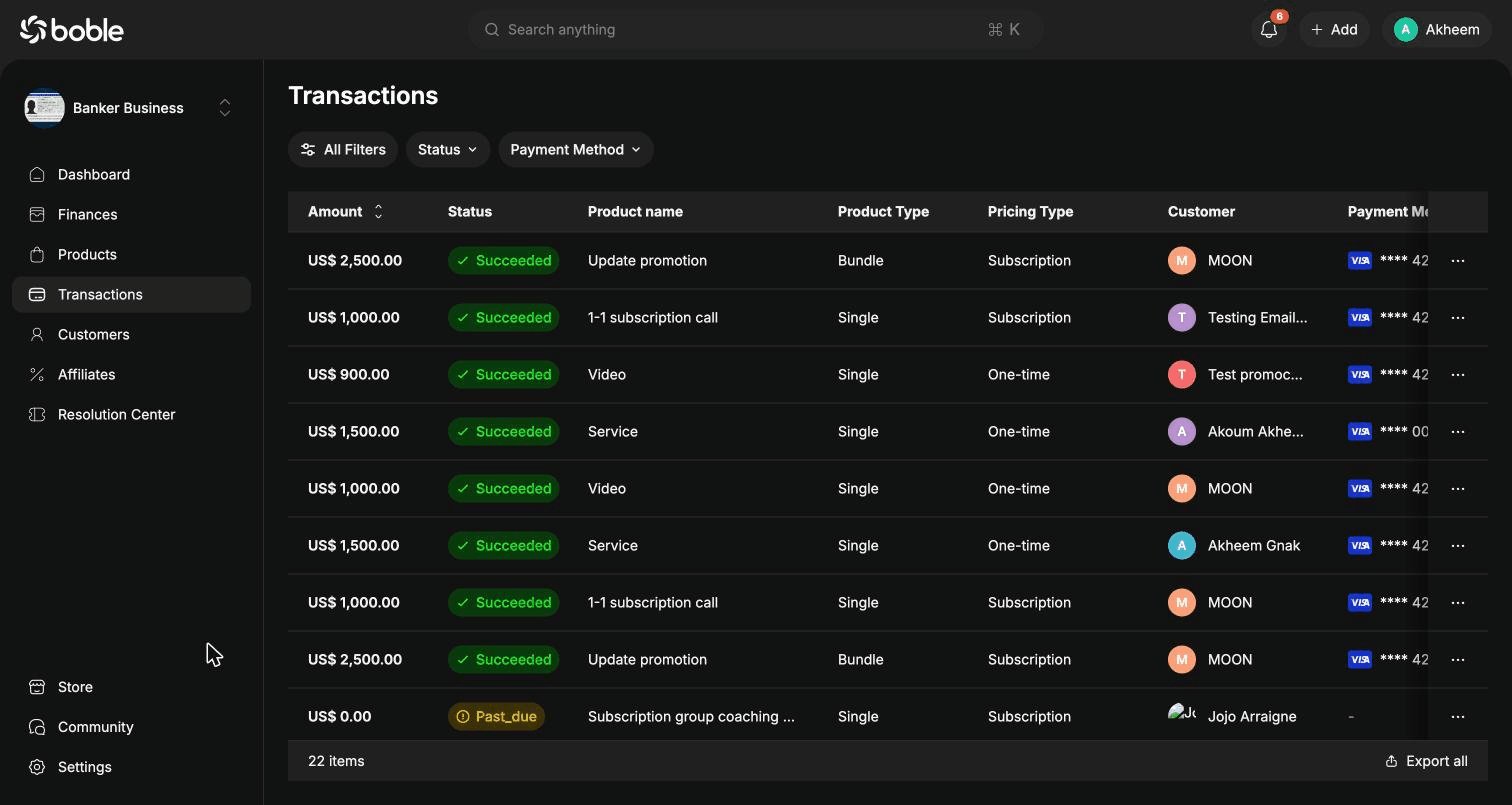
Transaction list
Use the filter bar (All Filters, Status, Payment Method) to narrow down the list, and Export all to download it.| Column | Description |
|---|---|
| Amount | Amount paid by the customer (sortable). |
| Status | Succeeded, Past_due (subscription payment overdue), etc. |
| Product name | The purchased product or bundle. |
| Product Type | Single or Bundle. |
| Pricing Type | One-time or Subscription. |
| Customer | The buyer, with avatar. |
| Payment Method | Card brand and last 4 digits (e.g. Visa **** 4242). |
| Transaction Time | Relative time of the payment (e.g. “4 days ago”). |
Row actions
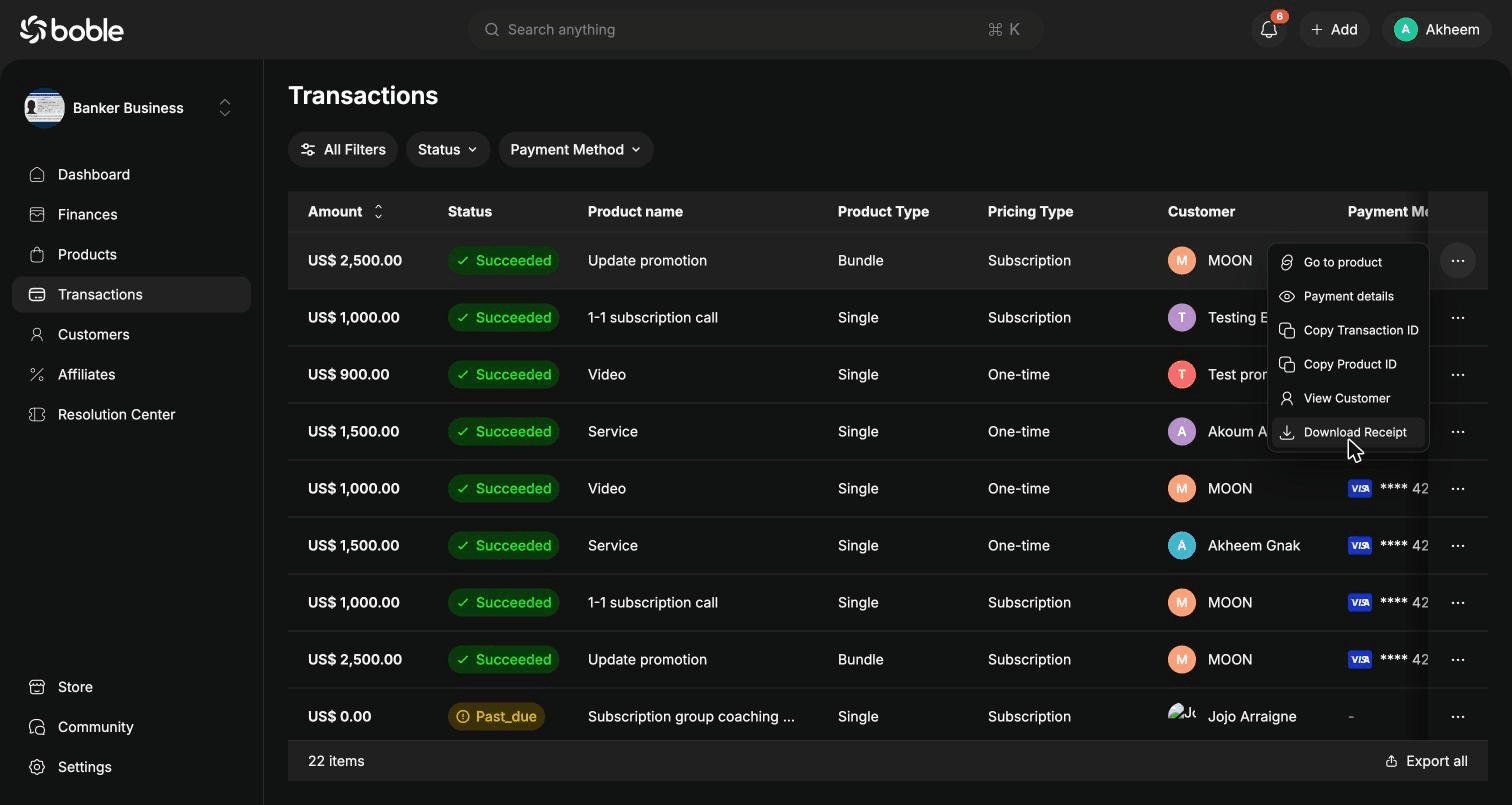
The⋯ button at the end of each row opens the actions menu:
| Action | Description |
|---|---|
| Go to product | Open the detail page of the purchased product. |
| Payment details | Open the transaction details modal (see below). |
| Copy Transaction ID | Copy the transaction’s unique ID. |
| Copy Product ID | Copy the product’s unique ID. |
| View Customer | Open the customer’s profile. |
| Download Receipt | Download the payment receipt. |
Transaction details
Click a row (or Payment details in the actions menu) to open the details modal:
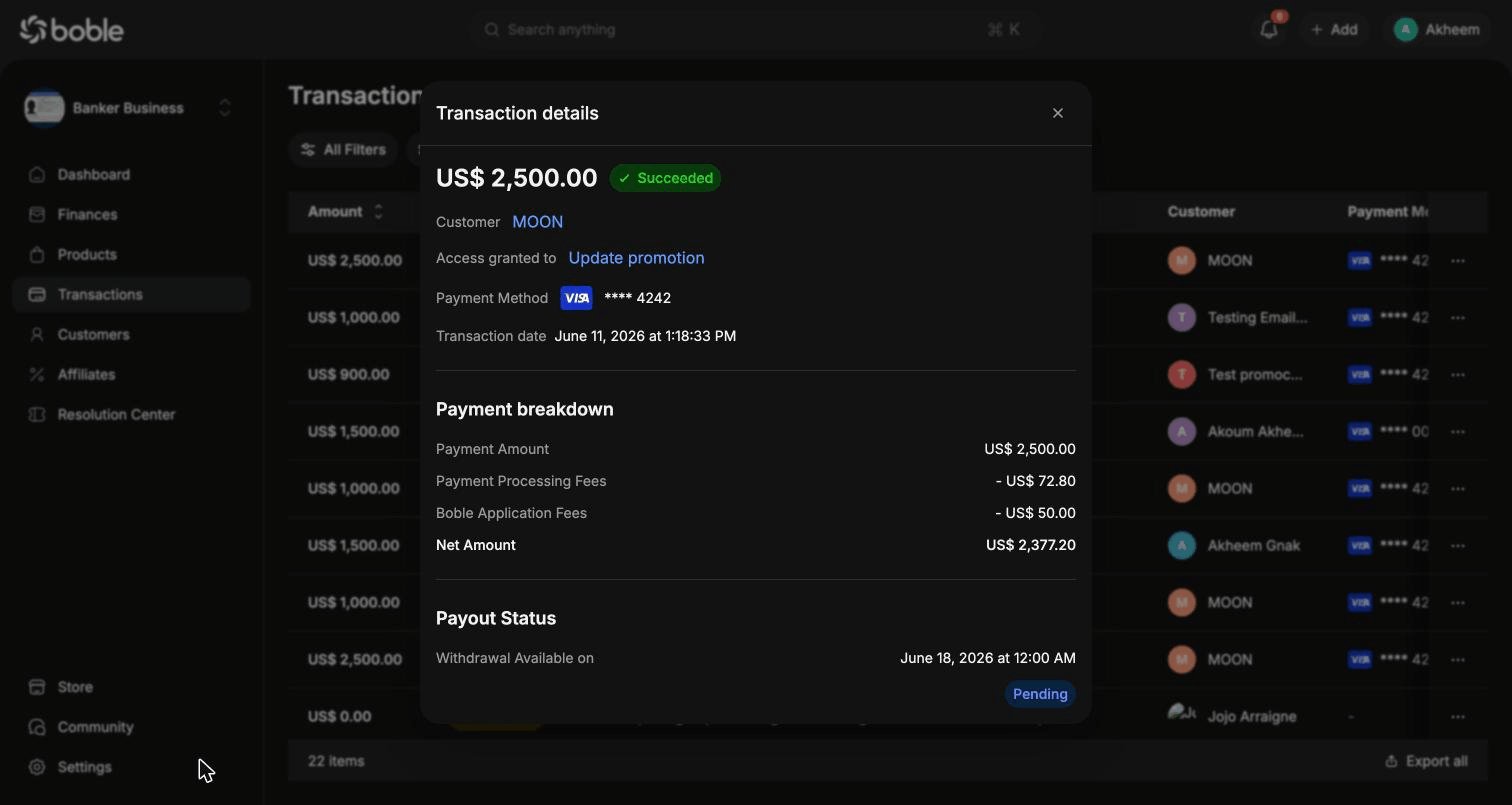
- Header — amount, status badge, customer (link to profile), Access granted to (link to the purchased product), payment method, and exact transaction date.
- Payment breakdown — how the gross amount splits up:
- Payment Amount — what the customer paid
- Payment Processing Fees — processor fees (deducted)
- Boble Application Fees — Boble platform fees (deducted)
- Net Amount — what you actually receive
- Payout Status — when the money becomes available for withdrawal (Withdrawal Available on) and its current state (e.g.
Pending).