

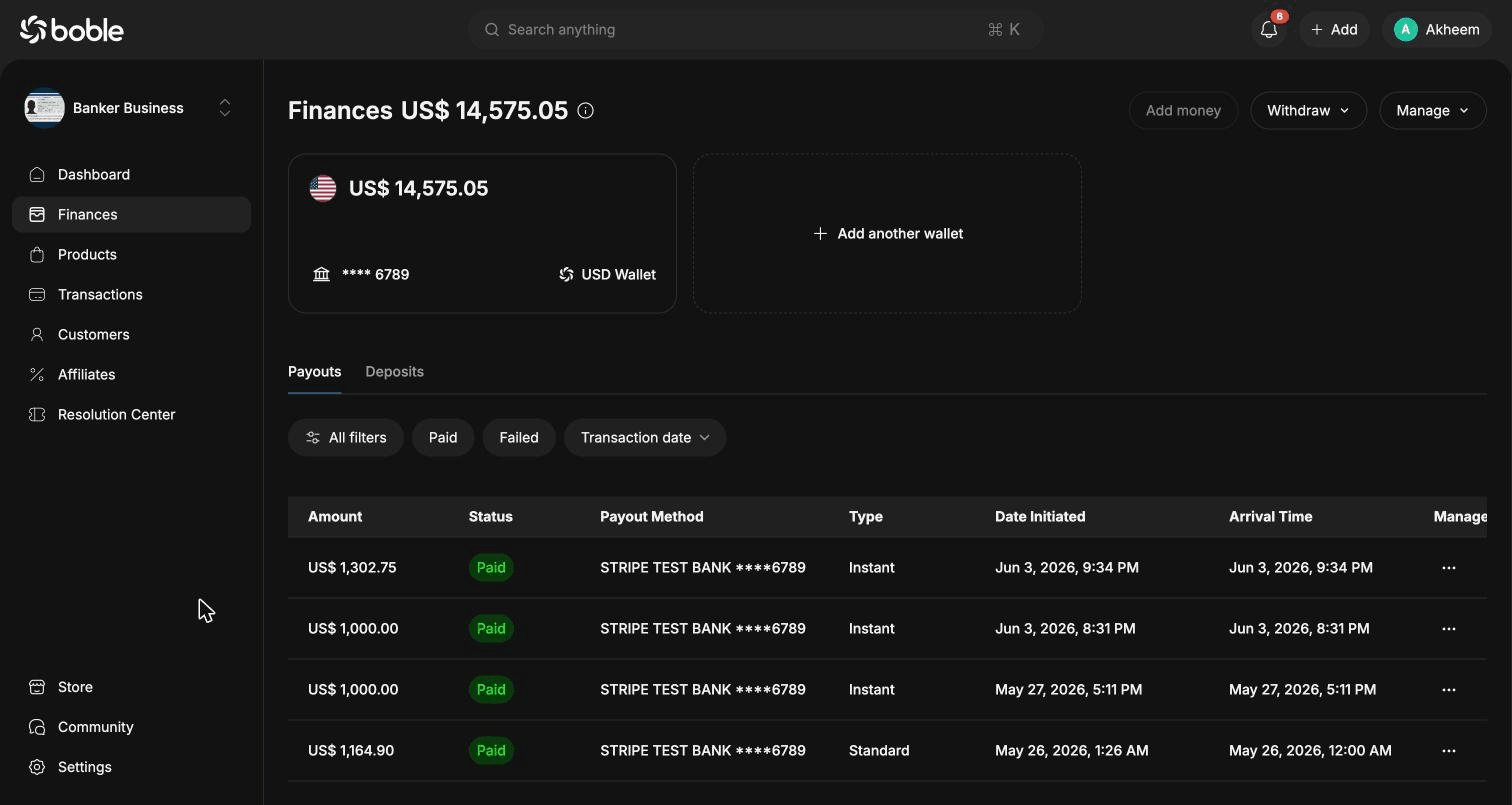
Balance and actions
The page title shows your total available balance (e.g. US$ 14,575.05). Next to it, three actions are available:Wallets
Each wallet card shows its currency, current balance, and the linked bank account (masked number, e.g. **** 6789). Click Add another wallet to create a wallet in another currency.Payouts tab
The Payouts tab lists every payout sent to your bank account. You can narrow down the list with the filter bar:- All filters — advanced filtering
- Paid / Failed — filter by status
- Transaction date — filter by date range
Use Export all at the bottom of the table to download the full payout history.