

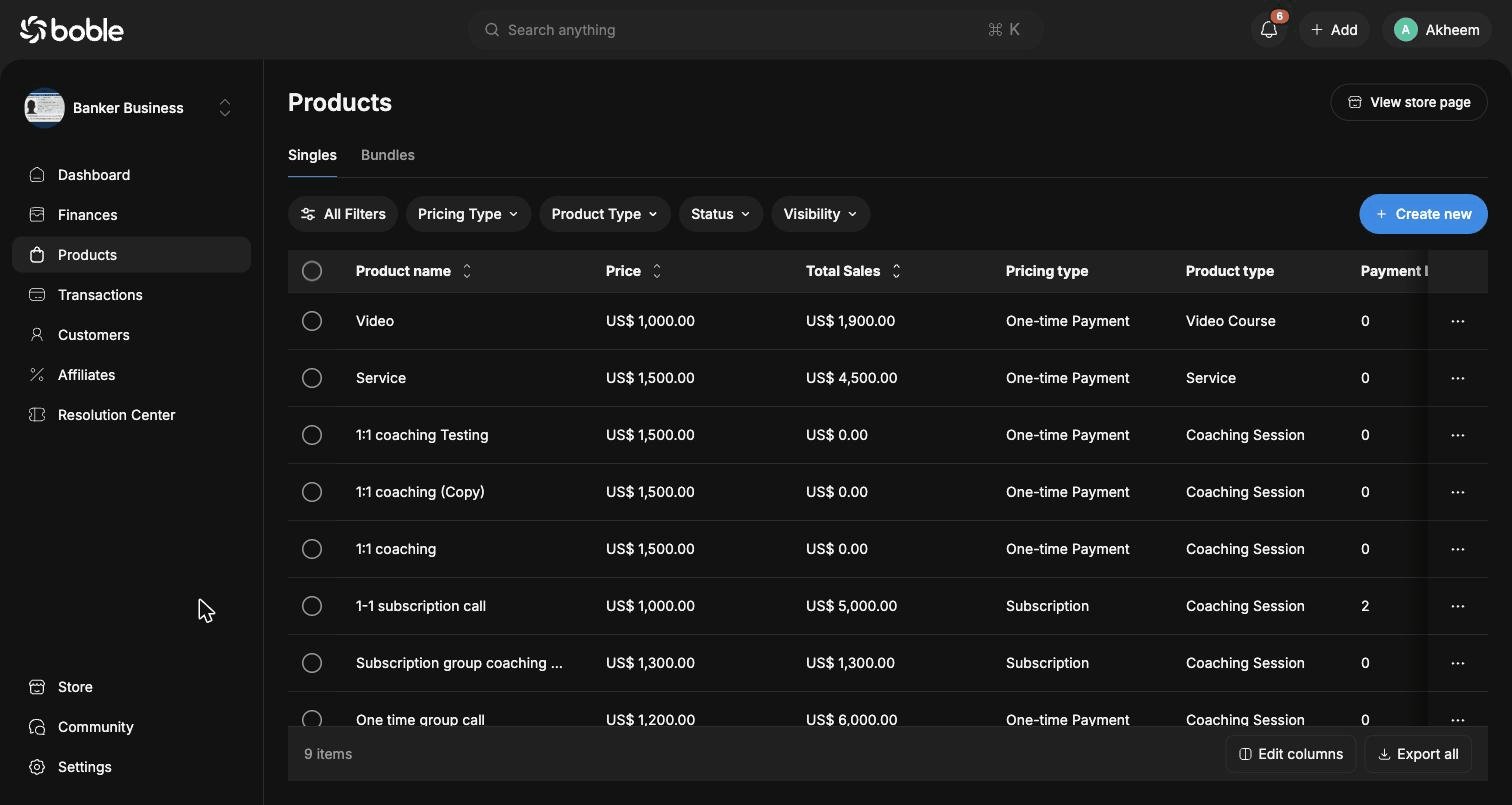
Product list
Both tabs share the same table layout. You can refine the list with the filter bar (All Filters, Pricing Type, Product Type, Status, Visibility), customize columns with Edit columns, and download the list with Export all.Creating a product
Click Create new on the Singles tab. The creation wizard has three steps:1
Choose a category
Pick between Services (done-for-you freelance work, custom quotes and retainers, 1-on-1 coaching or consulting calls) and Digital Products (online courses and video programs, templates, files and asset packs, coaching calls and communities, software, apps and tools).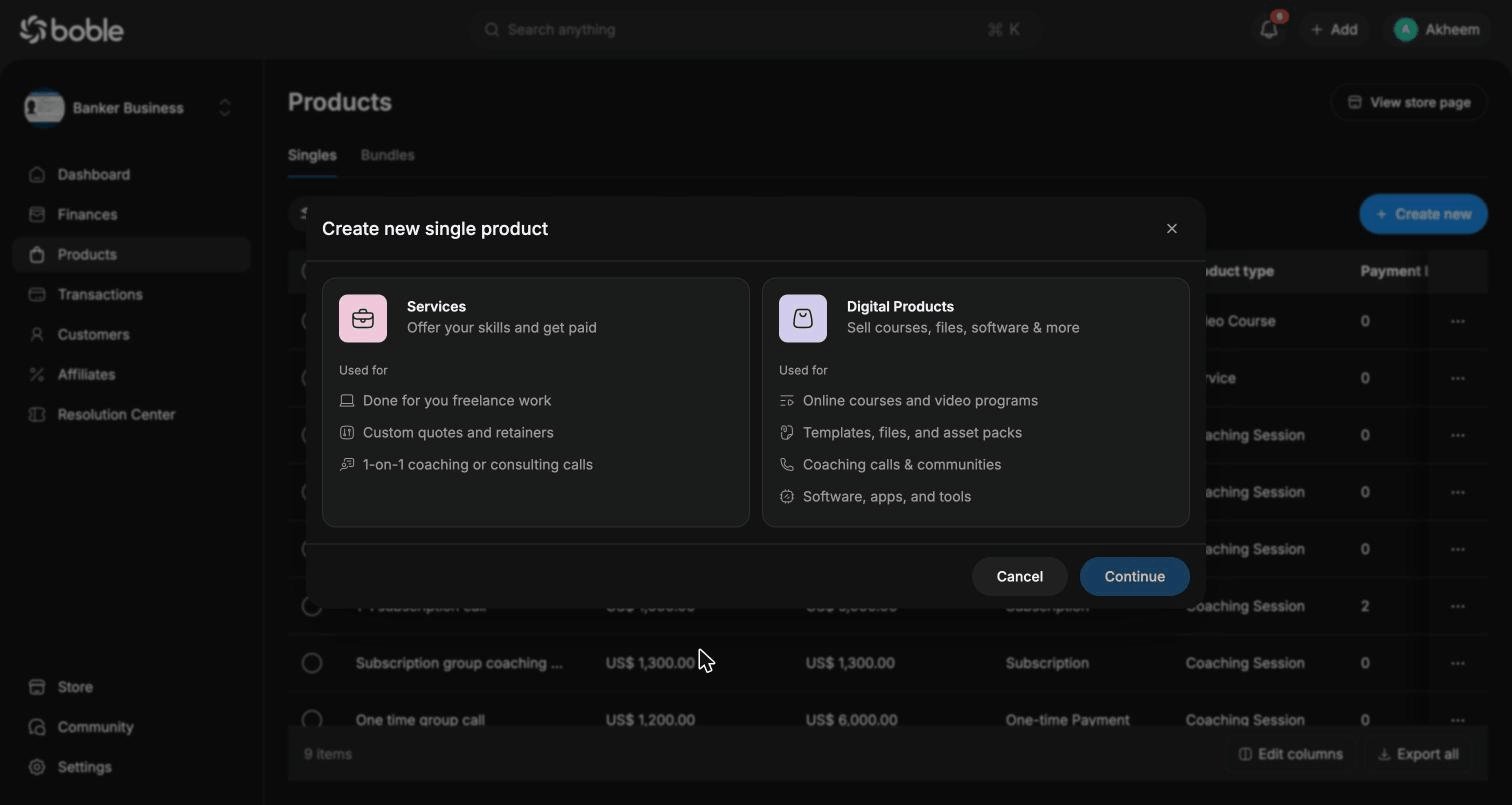
2
Choose a product type
Available types include: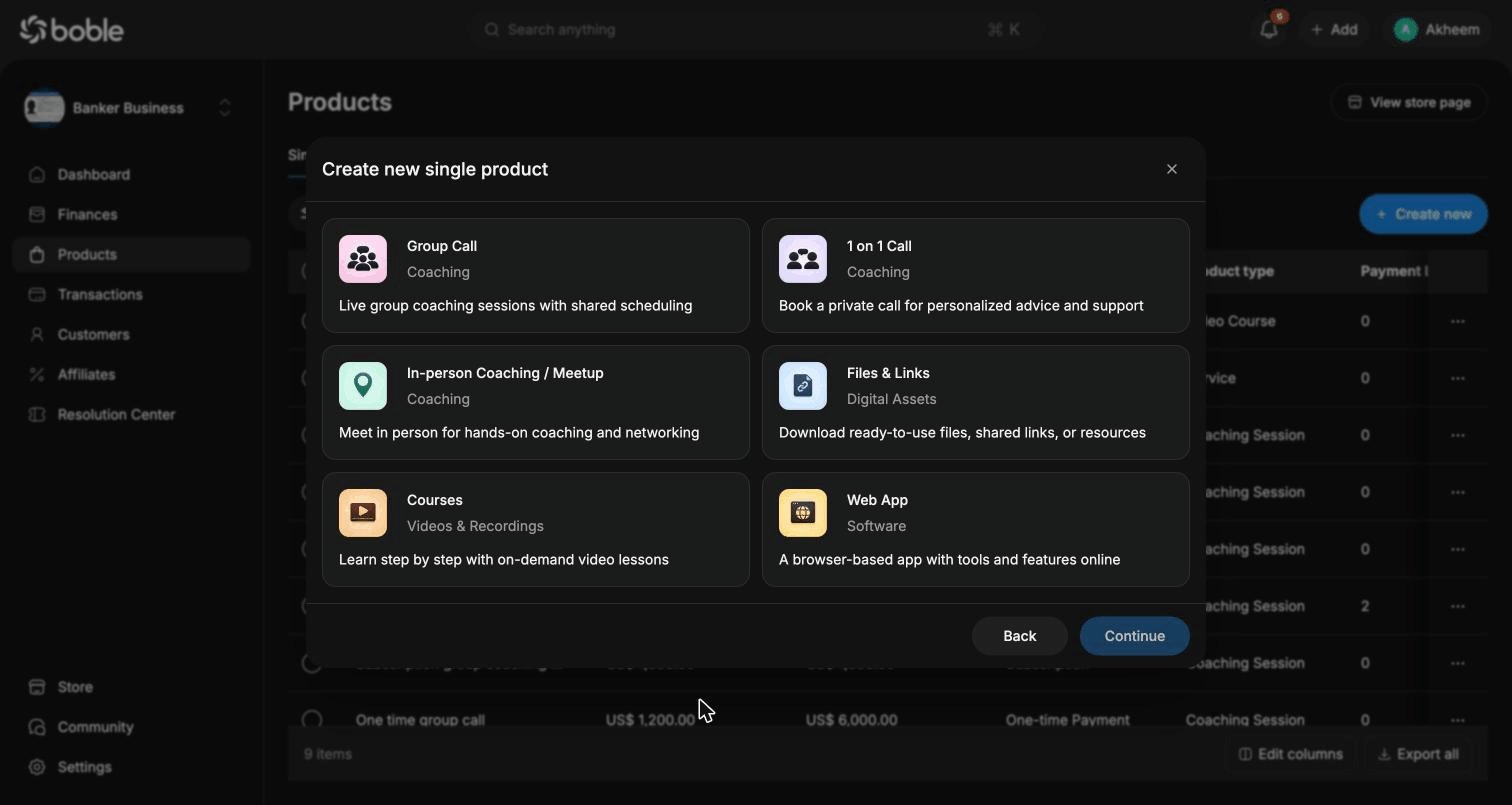
- Group Call (Coaching) — live group coaching sessions with shared scheduling
- 1 on 1 Call (Coaching) — private call for personalized advice and support
- In-person Coaching / Meetup (Coaching) — meet in person for hands-on coaching and networking
- Files & Links (Digital Assets) — ready-to-use files, shared links, or resources
- Courses (Videos & Recordings) — step-by-step on-demand video lessons
- Web App (Software) — a browser-based app with tools and features online
3
Fill in the details
Enter the title, choose the initial price (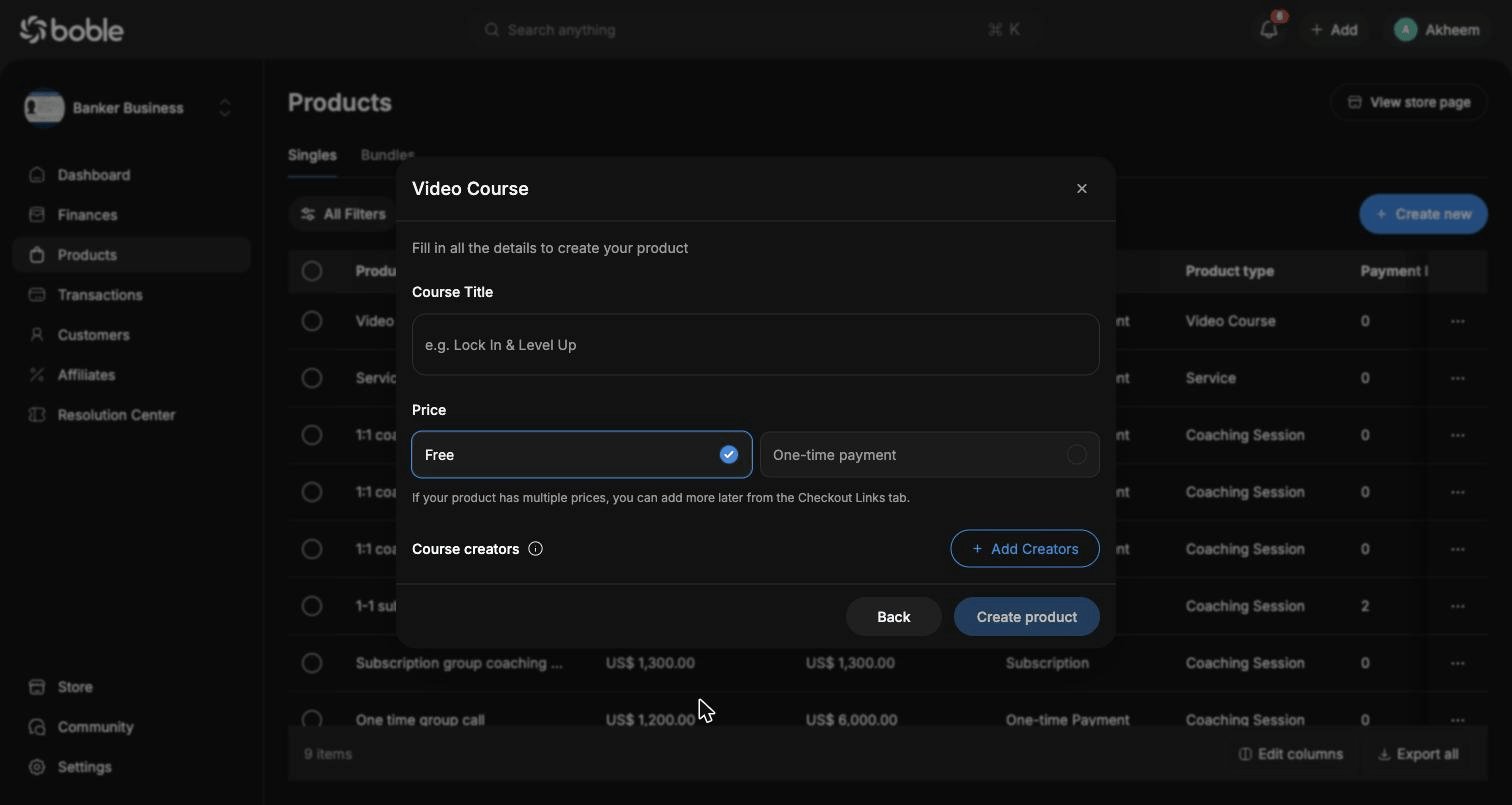
Free or One-time payment — you can add more prices later from the Checkout Links tab), optionally add creators, then click Create product.Product details
Click a product in the list to open its detail page. The header shows the product name, its visibility badge (e.g.Public), a Copy payment link button, a View product page button, and a ⋯ menu for more actions. A live phone preview on the right reflects your changes in real time.
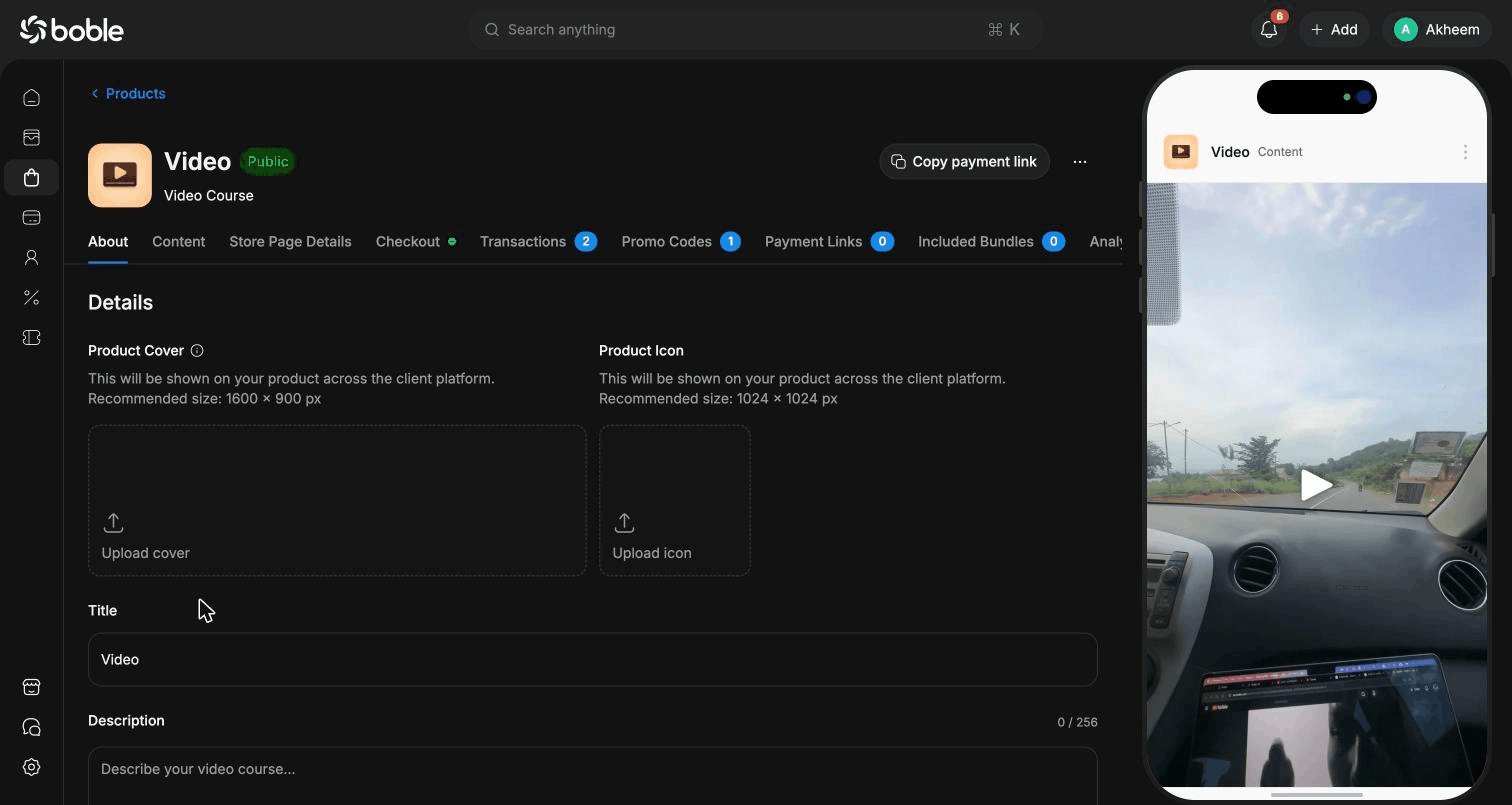
About
General product information: Product Cover (recommended 1600 × 900 px), Product Icon (recommended 1024 × 1024 px), Title, and Description (256 characters max). Cover and icon are shown across the client platform.Content
For video courses, this is where you build the curriculum:- Upload videos and give each one a description
- Attach Additional Resources to lessons
- Organize lessons into Sessions (Add Lesson / Add Session)
Store Page Details
Customize the product’s public store page: upload photos (drag and drop), embed media by URL, and add content Sections such as What’s inside and Who it’s for. A preview of the store page is displayed alongside.Checkout
Configure pricing and the checkout experience:- Pricing type —
Free,One-time payment, orSubscription(with a billing cycle, e.g. monthly) - Amount and currency
- Discount (%)
- Advanced Options — Trial Period, Add a stock (limited quantity), Auto expire access
Transactions
All payments for this product: amount, pricing type, status (Succeeded, …), customer, payment method, and transaction time. Filter by Status, Payment Method, or Promo Code, and use Export all to download the list.
Promo Codes
Create and track discount codes with Add promo code. Each code shows its discount (e.g. 10%), status (Active), discounted price, usage against Max Users (e.g. 1/50), and expiration date.
Payment Links
Create additional payment links with Add payment link to sell the same product at different prices or to different audiences without duplicating it.Included Bundles
Lists the bundles containing this product. Use Add to bundle to sell it as part of a package deal.Analytics
Per-product analytics. — the feature is under active development.Bundles
The Bundles tab lists your packages. The table adds a Single Products column showing how many products each bundle contains.Creating a bundle
Click Create new on the Bundles tab. The wizard has two steps:1
Select the products
Search and filter your single products (Product Type, Product Price) and tick the ones to include.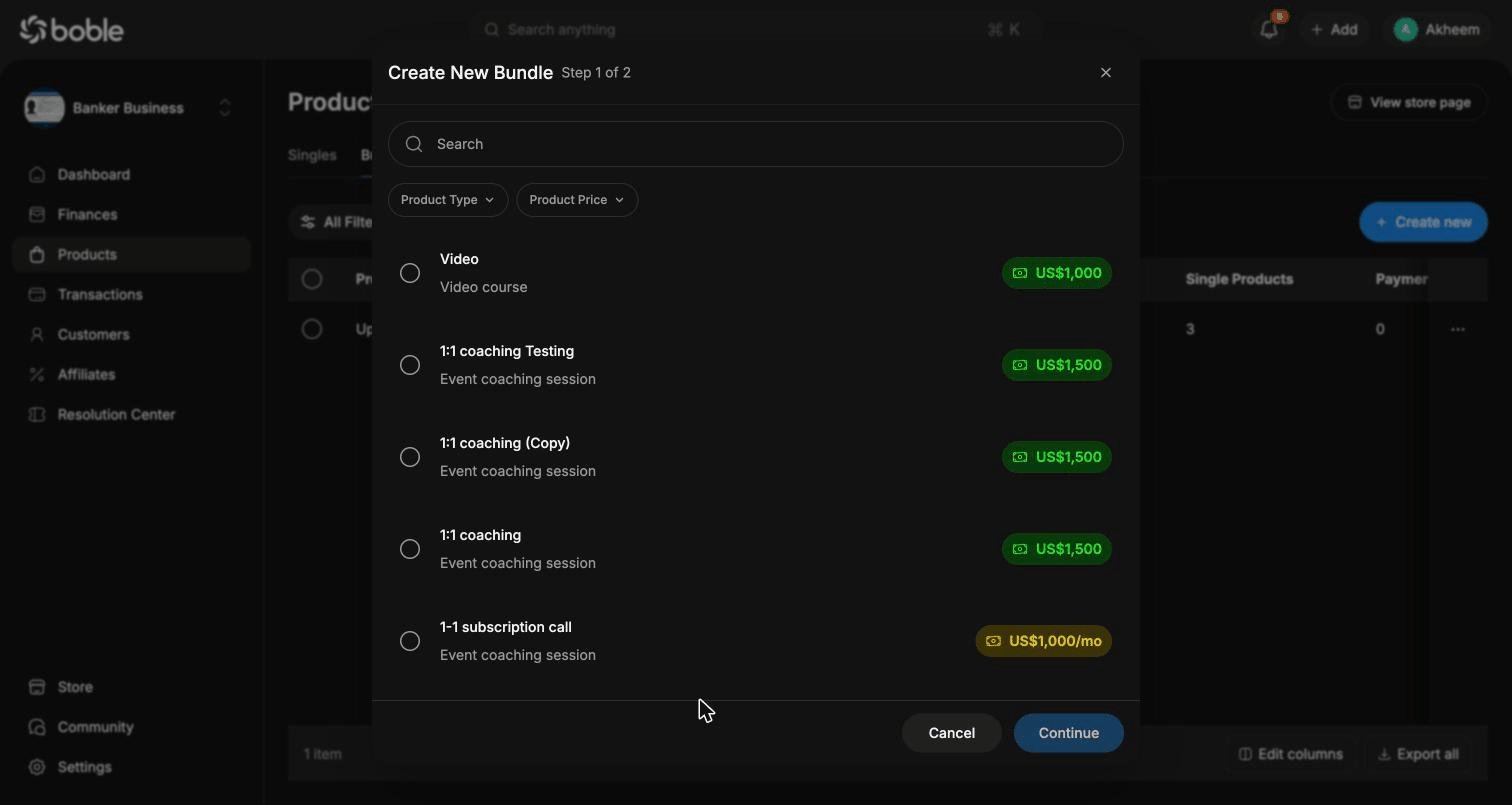
2
Title and pricing
Give the bundle a title and choose its pricing type: 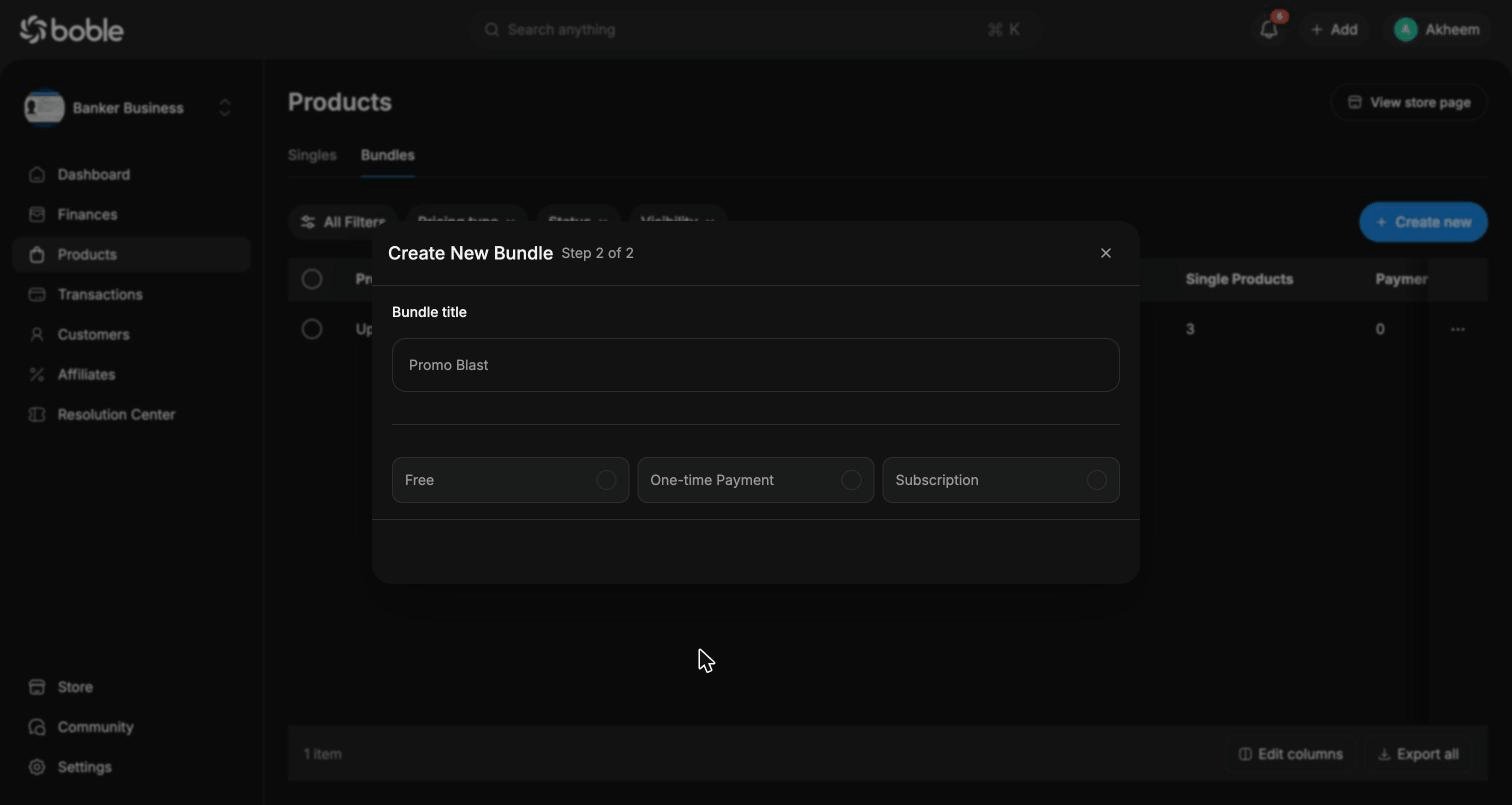
Free, One-time Payment, or Subscription.Bundle details
A bundle’s detail page works like a product’s, with tabs About, Store Page Details, Checkout, Transactions, Promo Codes, and Payment Links.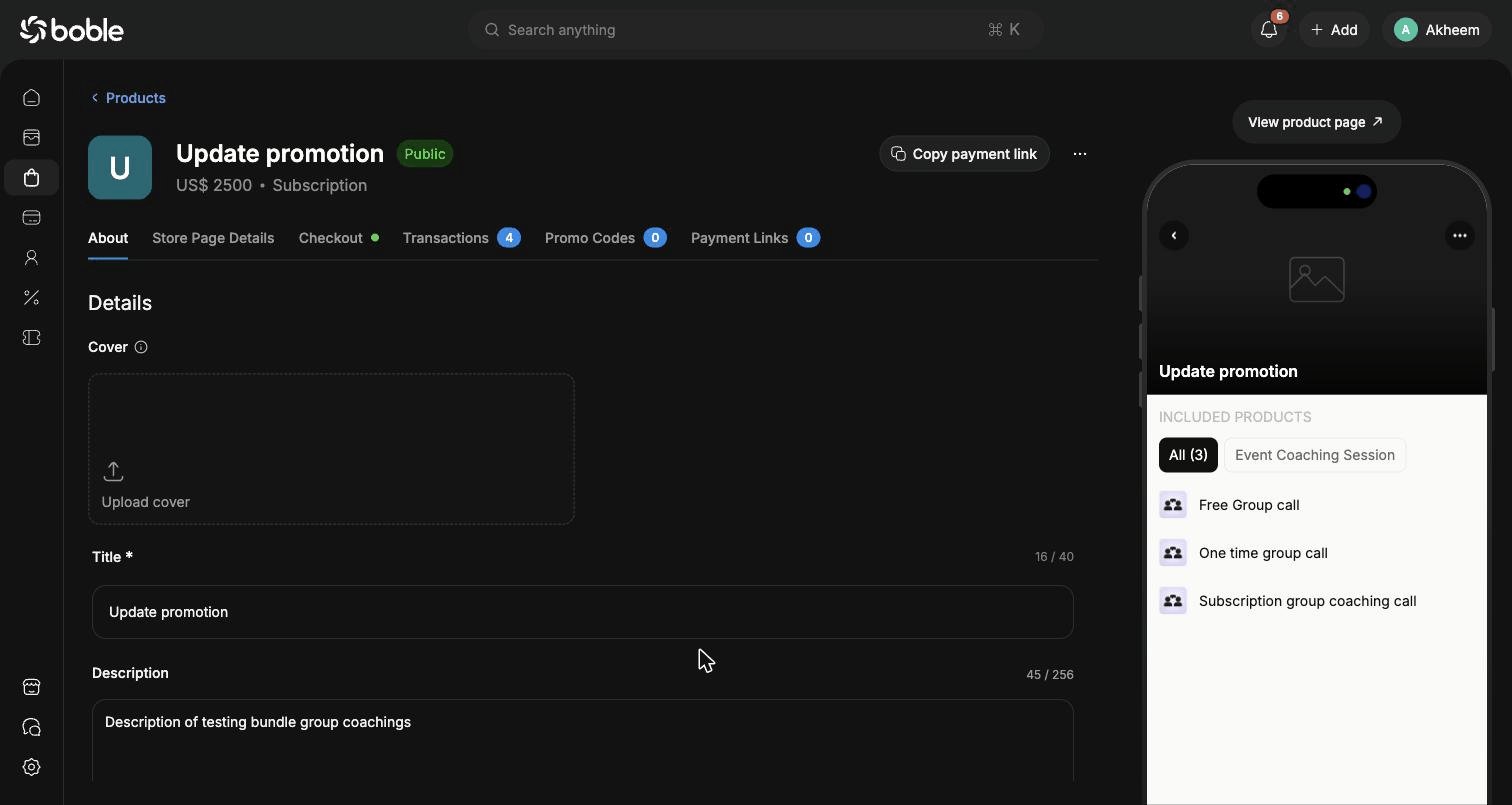
- About — cover, title (40 characters max), description (256 characters max), and the list of Single products included in the bundle (Add new to attach more). The live preview shows the included products grouped by type.
- Checkout — same options as a product. For subscriptions, you also set the billing cycle (e.g. “Customer will be charged US$ 2,500.00 every month”). The checkout preview lists all included products.