> ## Documentation Index
> Fetch the complete documentation index at: https://docs.boble.io/llms.txt
> Use this file to discover all available pages before exploring further.
# Settings
> Configure your workspace: business info, legal policies, branding, plan and billing, team members, help center, and developer tools.
The **Settings** area ([admin.boble.io/admin-settings](https://admin.dev.boble.io/admin-settings?tab=general)) is reached from the **Settings** item at the bottom of the sidebar. It has its own sub-menu: **General**, **Branding**, **Plans & Billing**, **Members**, **Help Center**, **Developers**, and **Challenges & Badges**. Use **Back** to return to the main admin panel.
## General
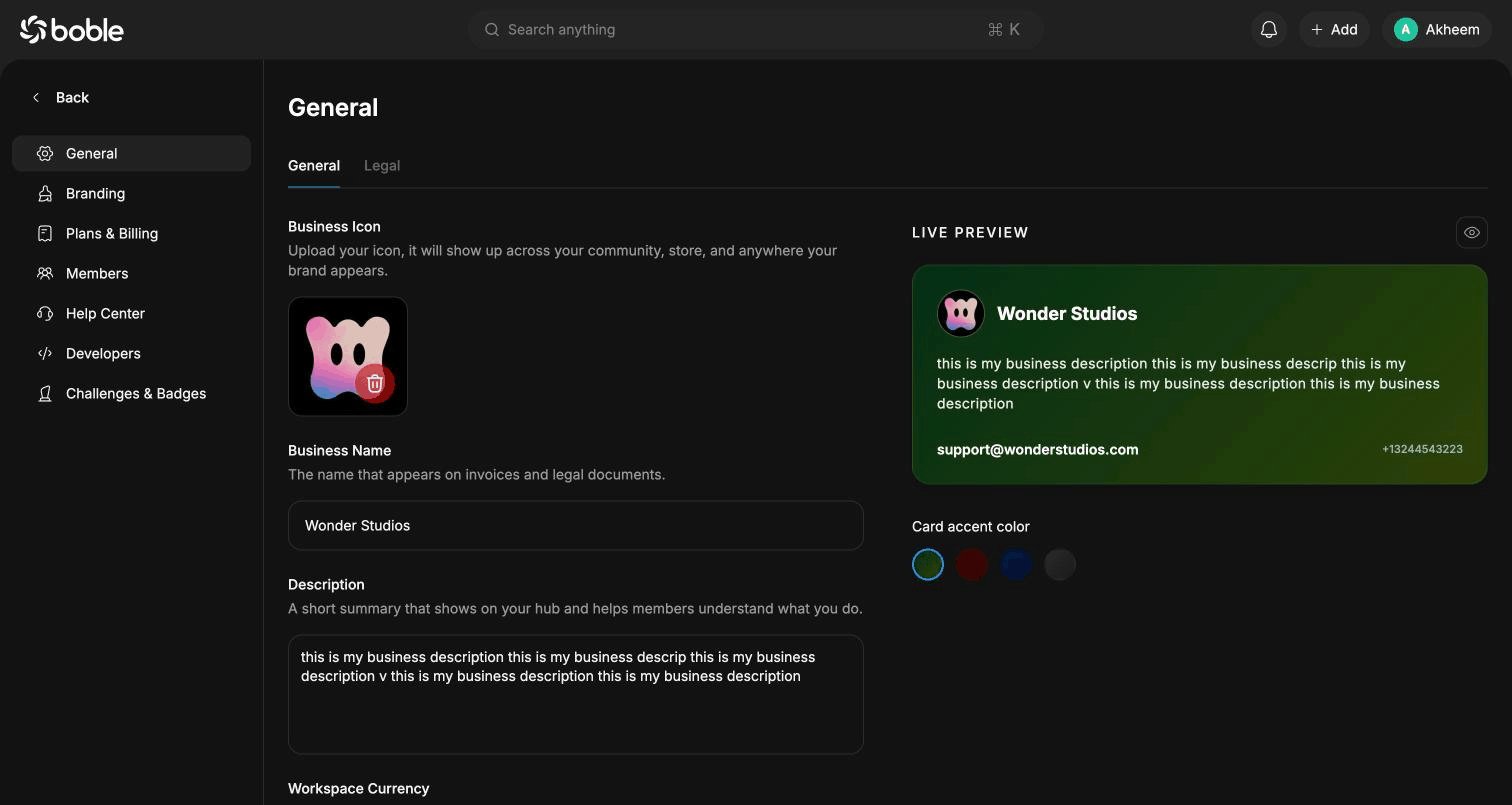
Business information shown across your community, store, and legal documents. A **live preview** card on the right shows how your business appears, with a configurable **card accent color**.
 | Field | Description |
| ---------------------- | -------------------------------------------------------------------- |
| **Business Icon** | Shown across your community, store, and anywhere your brand appears. |
| **Business Name** | The name that appears on invoices and legal documents. |
| **Description** | Short summary shown on your hub. |
| **Workspace Currency** | Currency used across earnings, invoices, and reports (e.g. USD). |
| **Email** | Contact email your clients can use. |
| **Phone Number** | Contact phone number, with country code picker. |
### Legal tab
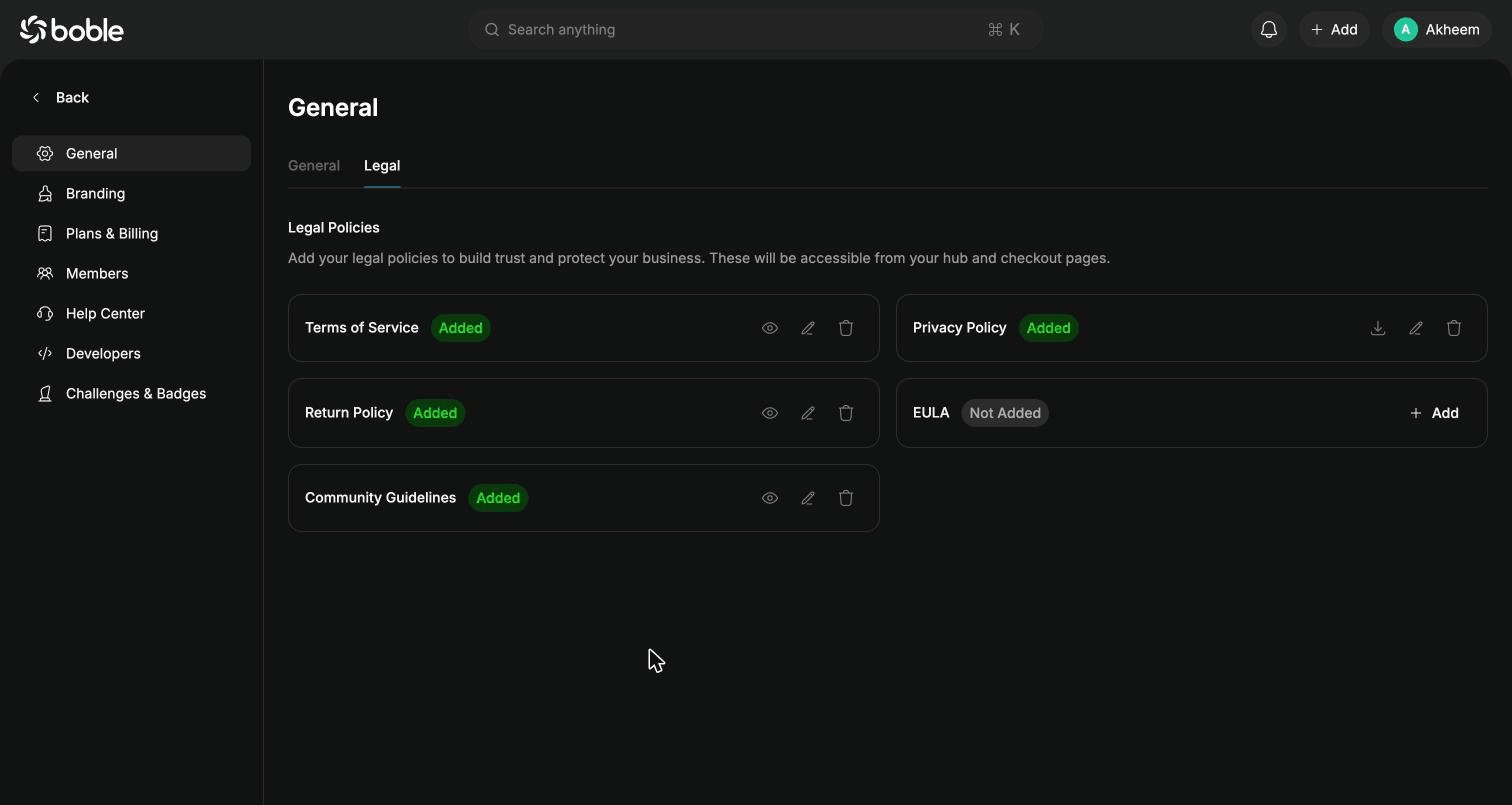
Add your legal policies to build trust — they become accessible from your hub and checkout pages: **Terms of Service**, **Privacy Policy**, **Return Policy**, **EULA**, and **Community Guidelines**. Each policy shows its status (`Added` / `Not Added`) with actions to **add**, **view**, **edit**, **download**, or **delete** it.
| Field | Description |
| ---------------------- | -------------------------------------------------------------------- |
| **Business Icon** | Shown across your community, store, and anywhere your brand appears. |
| **Business Name** | The name that appears on invoices and legal documents. |
| **Description** | Short summary shown on your hub. |
| **Workspace Currency** | Currency used across earnings, invoices, and reports (e.g. USD). |
| **Email** | Contact email your clients can use. |
| **Phone Number** | Contact phone number, with country code picker. |
### Legal tab
Add your legal policies to build trust — they become accessible from your hub and checkout pages: **Terms of Service**, **Privacy Policy**, **Return Policy**, **EULA**, and **Community Guidelines**. Each policy shows its status (`Added` / `Not Added`) with actions to **add**, **view**, **edit**, **download**, or **delete** it.
 ## Branding
Branding of your public site, in three tabs:
## Branding
Branding of your public site, in three tabs:
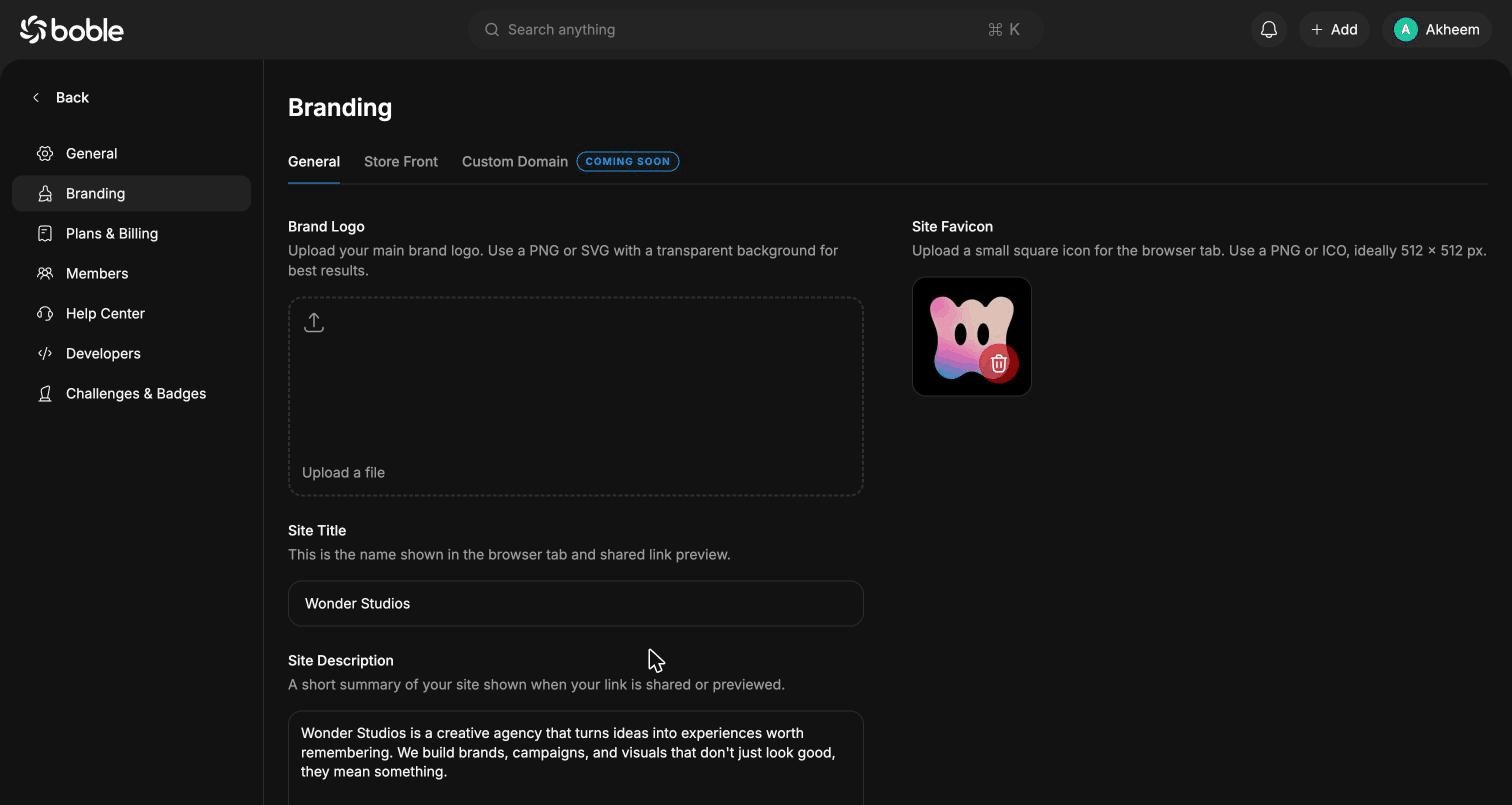 * **General** — **Brand Logo** (PNG/SVG with transparent background), **Site Title** (browser tab and shared link preview), **Site Description** (link sharing preview), **Site Favicon** (PNG/ICO, ideally 512 × 512 px).
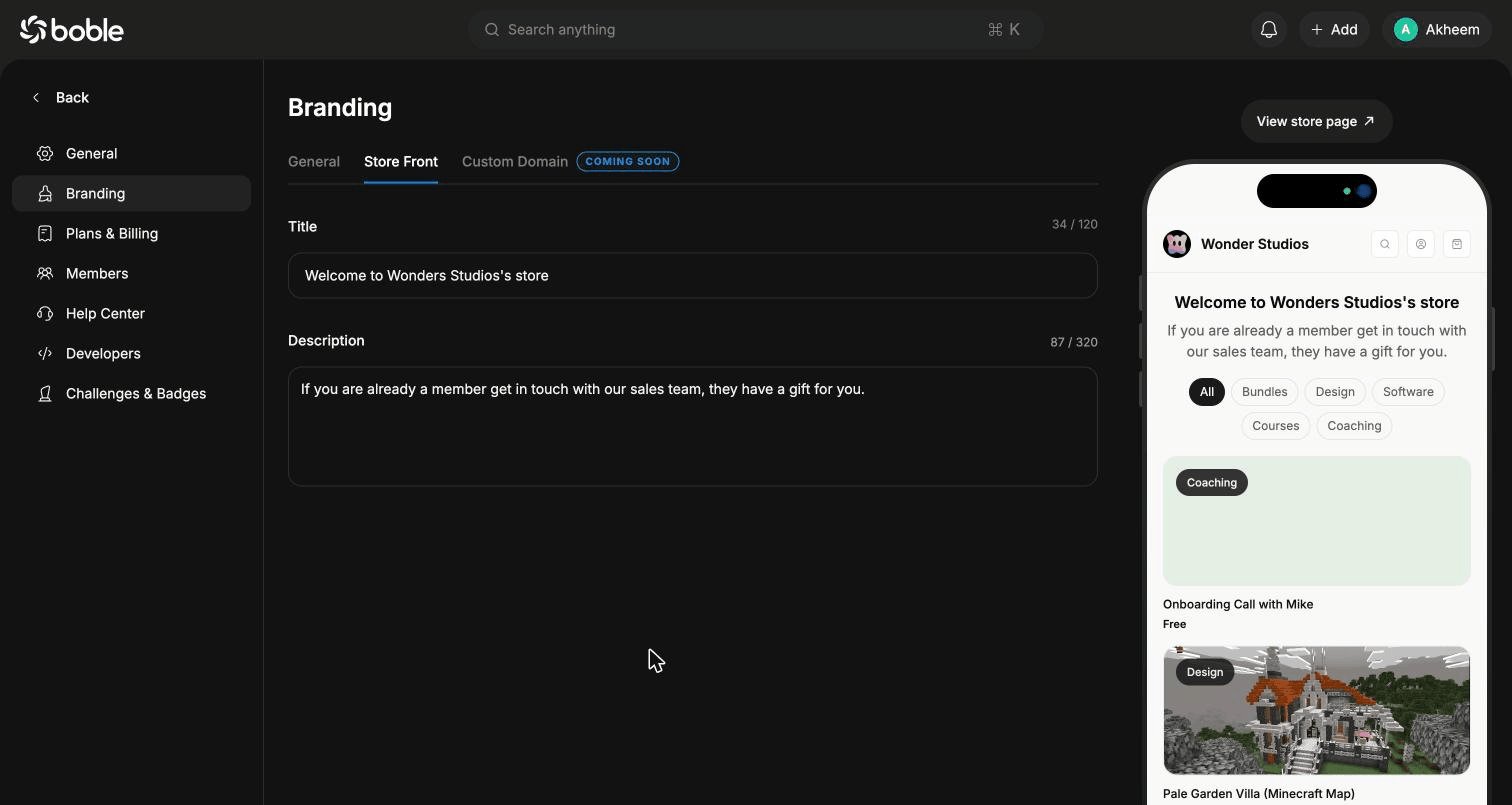
* **Store Front** — hero **Title** (120 characters) and **Description** (320 characters) of your storefront, with a live phone preview of the store and its product grid filtered by category. **View store page** opens the real store.
* **Custom Domain** — coming soon.
* **General** — **Brand Logo** (PNG/SVG with transparent background), **Site Title** (browser tab and shared link preview), **Site Description** (link sharing preview), **Site Favicon** (PNG/ICO, ideally 512 × 512 px).
* **Store Front** — hero **Title** (120 characters) and **Description** (320 characters) of your storefront, with a live phone preview of the store and its product grid filtered by category. **View store page** opens the real store.
* **Custom Domain** — coming soon.
 ## Plans & Billing
### Billing tab
## Plans & Billing
### Billing tab
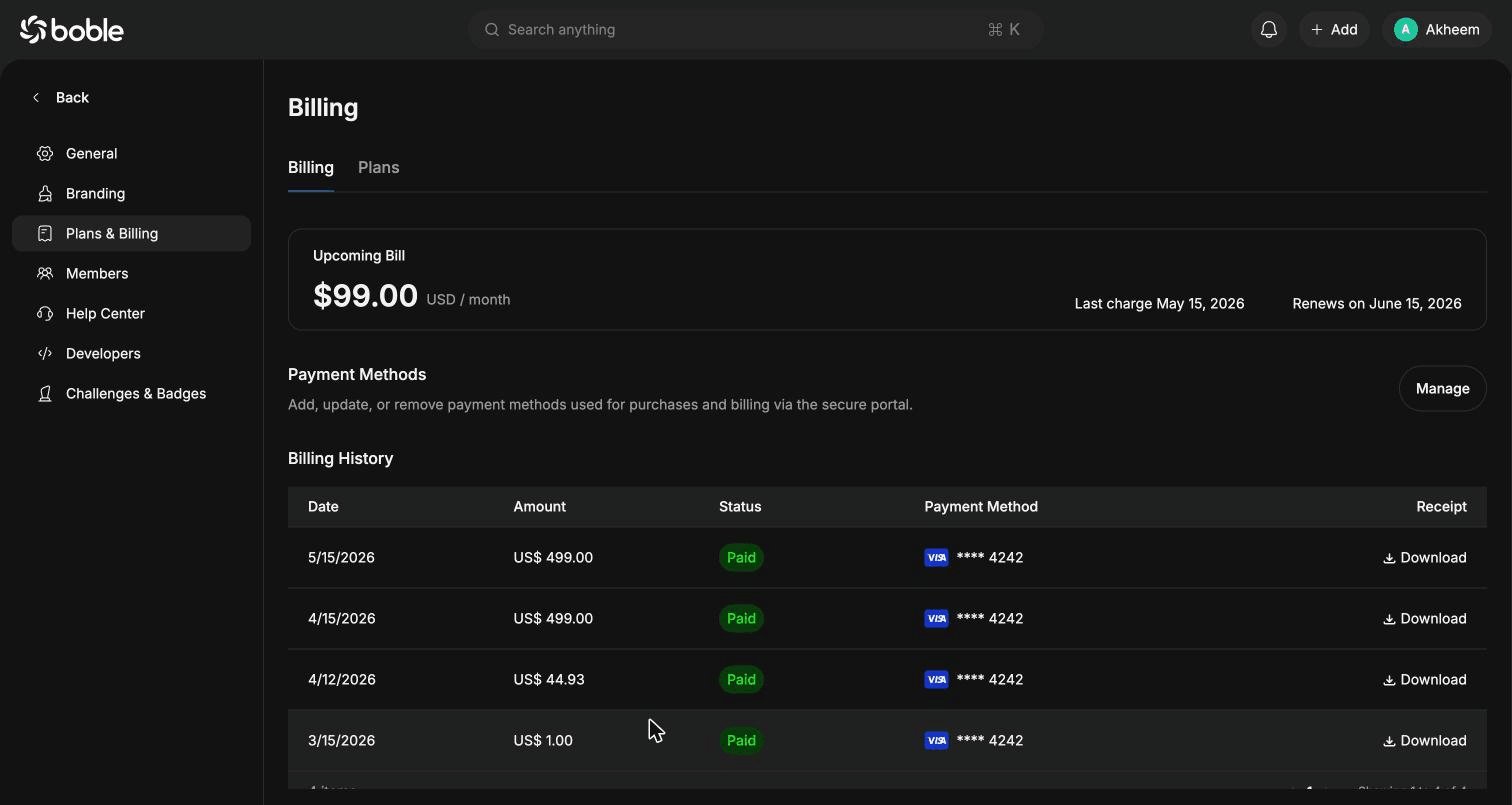 * **Upcoming Bill** — amount, last charge date, and renewal date of your Boble subscription.
* **Payment Methods** — **Manage** opens the secure portal to add, update, or remove payment methods.
* **Billing History** — table of past invoices (Date, Amount, Status, Payment Method) with a **Download** receipt link per row.
### Plans tab
* **Upcoming Bill** — amount, last charge date, and renewal date of your Boble subscription.
* **Payment Methods** — **Manage** opens the secure portal to add, update, or remove payment methods.
* **Billing History** — table of past invoices (Date, Amount, Status, Payment Method) with a **Download** receipt link per row.
### Plans tab
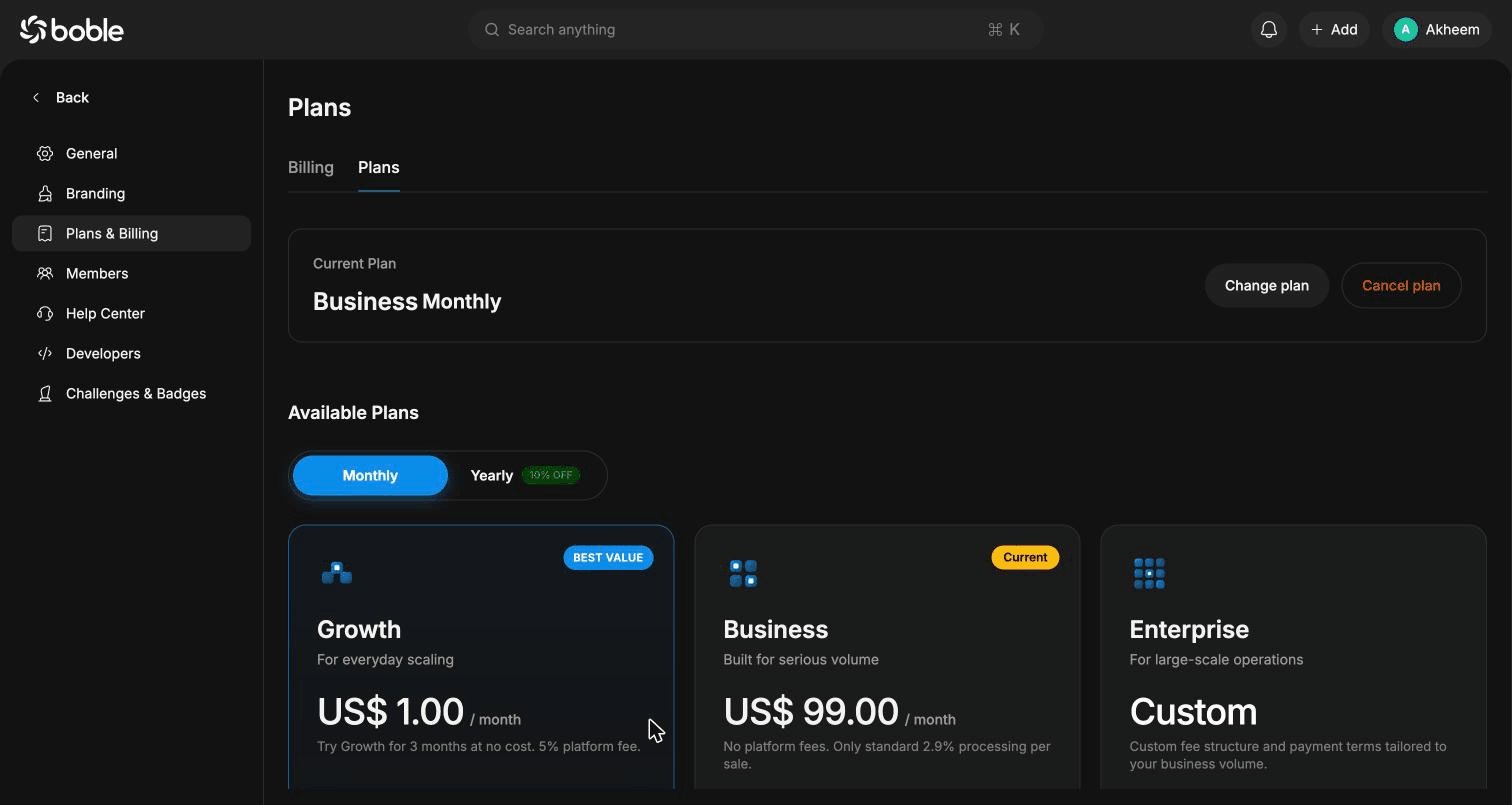 Shows your **Current Plan** with **Change plan** / **Cancel plan** buttons, and the available plans with **Monthly** / **Yearly** (10% off) billing:
| Plan | Price | Highlights |
| -------------- | ---------------- | -------------------------------------------------------------------------------------------------------------------------------------------------- |
| **Growth** | US\$ 1.00/month | 5% platform fee. Digital products and subscriptions, simple storefront, checkout links, client portal, revenue tracking. First 3 months free. |
| **Business** | US\$ 99.00/month | 0% platform fee (only 2.9% processing). Custom domain, unlimited checkout links, instant payouts, AI finance/community health, advanced analytics. |
| **Enterprise** | Custom | Custom fee structure and payment terms, dedicated onboarding, migration support, SSO/SAML, priority support. |
The page also includes a full feature comparison table, a break-even calculator (Business becomes cheaper around \$5,000/month in sales), and an FAQ.
## Members
Manage your team. Role summary cards show counts for **Admin**, **Operation**, **Finance**, and **Support**.
Shows your **Current Plan** with **Change plan** / **Cancel plan** buttons, and the available plans with **Monthly** / **Yearly** (10% off) billing:
| Plan | Price | Highlights |
| -------------- | ---------------- | -------------------------------------------------------------------------------------------------------------------------------------------------- |
| **Growth** | US\$ 1.00/month | 5% platform fee. Digital products and subscriptions, simple storefront, checkout links, client portal, revenue tracking. First 3 months free. |
| **Business** | US\$ 99.00/month | 0% platform fee (only 2.9% processing). Custom domain, unlimited checkout links, instant payouts, AI finance/community health, advanced analytics. |
| **Enterprise** | Custom | Custom fee structure and payment terms, dedicated onboarding, migration support, SSO/SAML, priority support. |
The page also includes a full feature comparison table, a break-even calculator (Business becomes cheaper around \$5,000/month in sales), and an FAQ.
## Members
Manage your team. Role summary cards show counts for **Admin**, **Operation**, **Finance**, and **Support**.
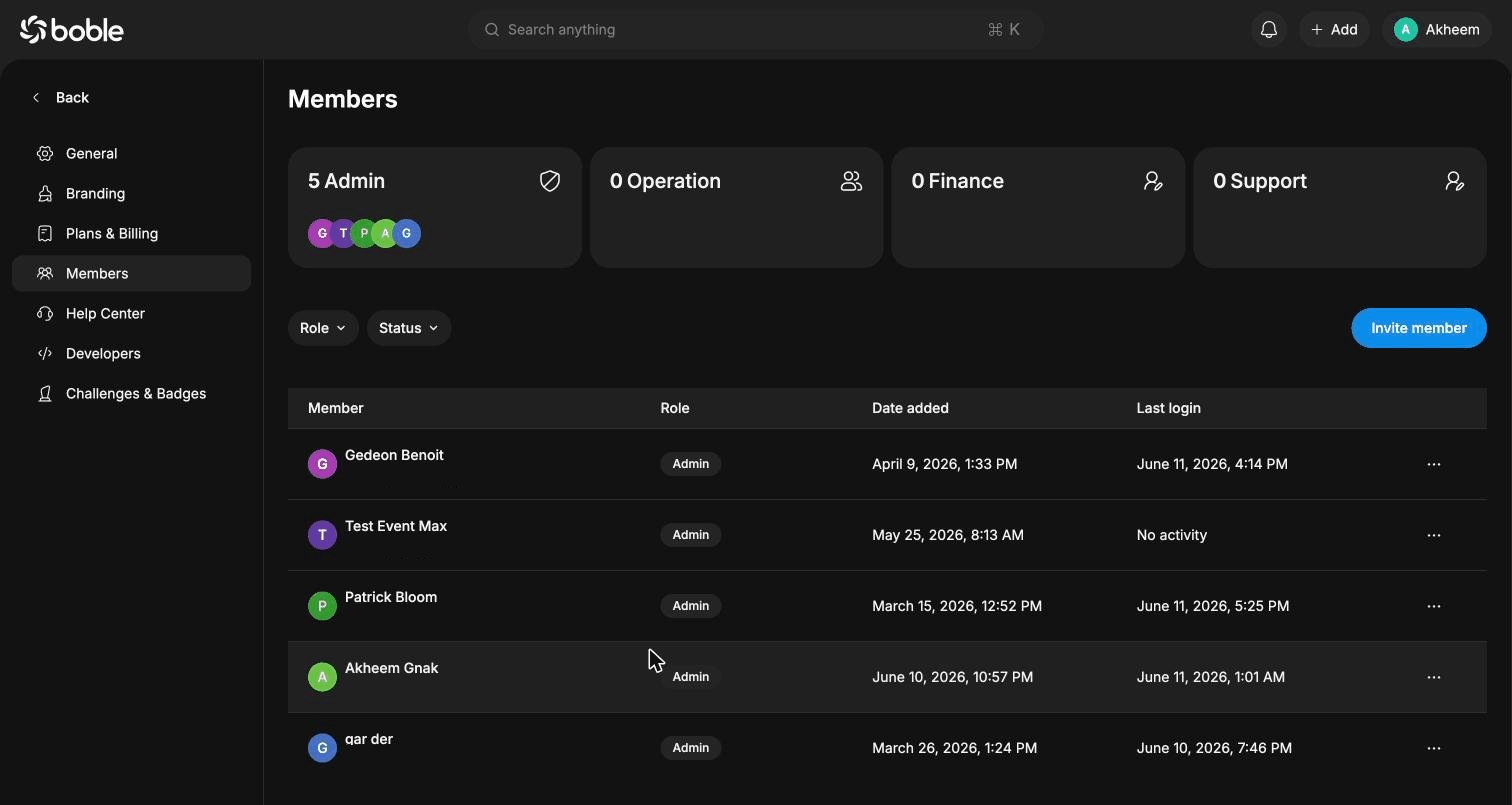 The members table lists **Member** (name + email), **Role**, **Date added**, and **Last login**, with a `⋯` actions menu per row. Filter by **Role** or **Status**.
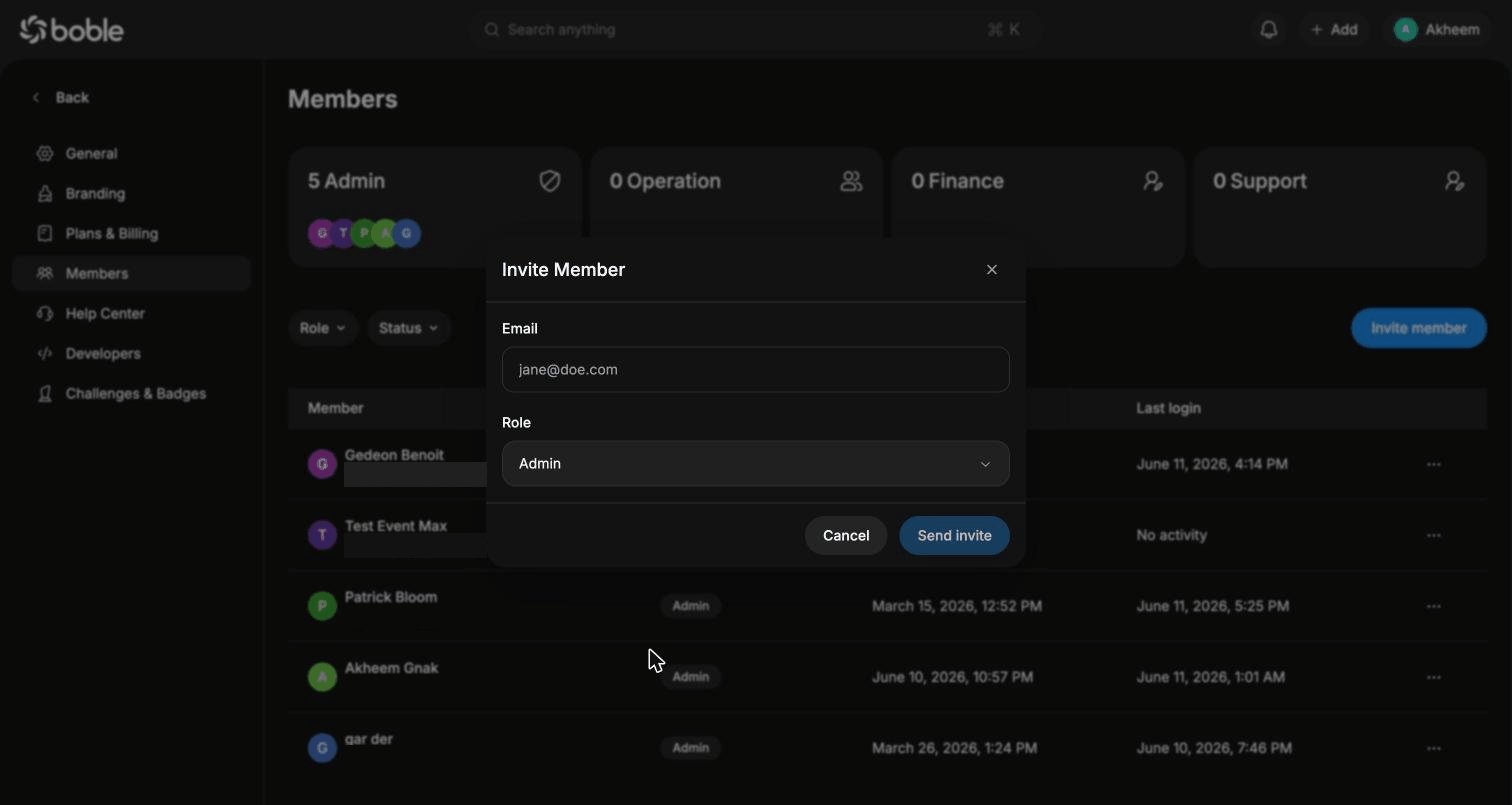
Click **Invite member** to add a teammate — enter their **Email**, pick a **Role**, and **Send invite**:
The members table lists **Member** (name + email), **Role**, **Date added**, and **Last login**, with a `⋯` actions menu per row. Filter by **Role** or **Status**.
Click **Invite member** to add a teammate — enter their **Email**, pick a **Role**, and **Send invite**:
 ## Help Center
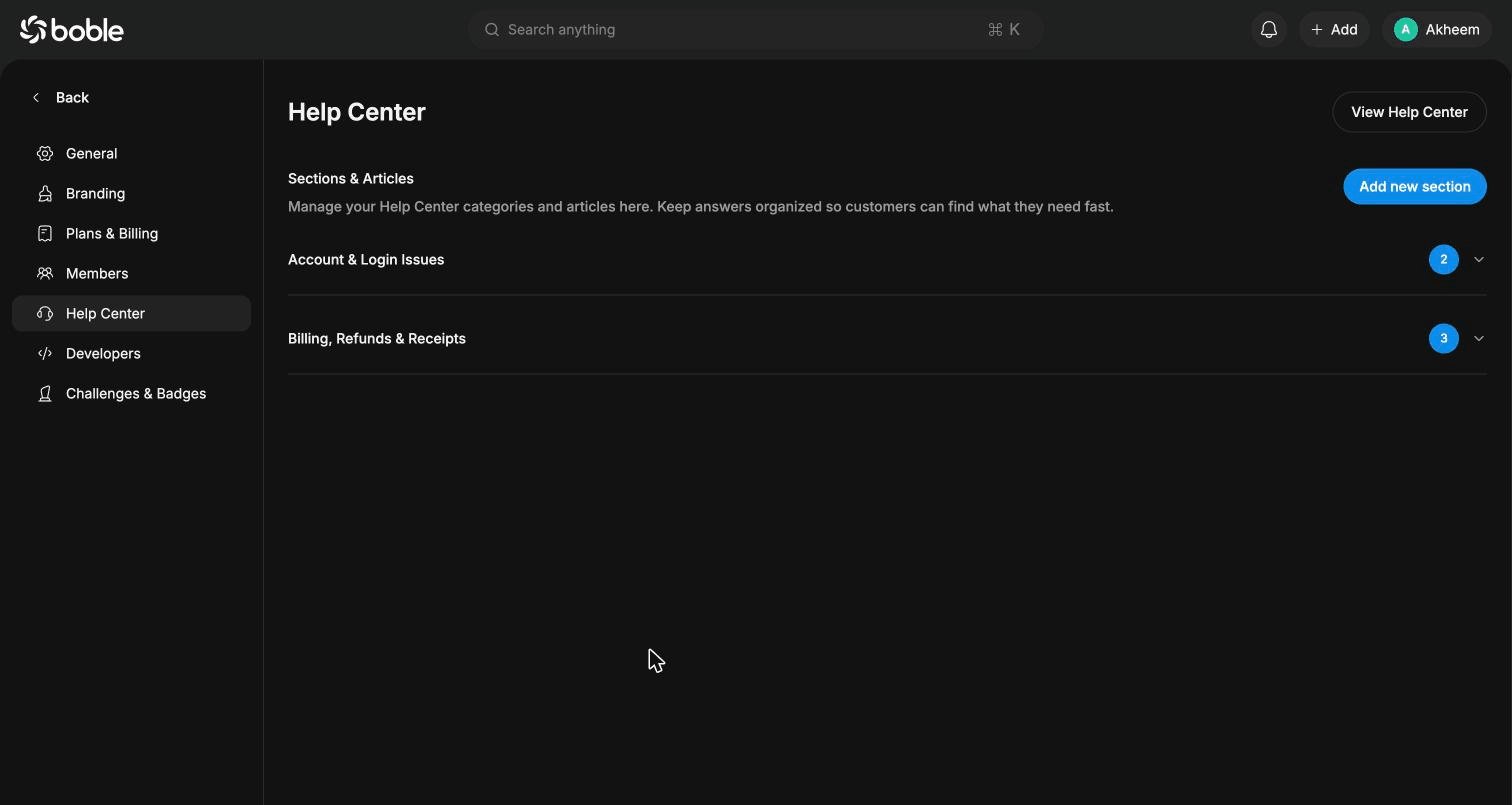
Build a self-serve FAQ for your customers: create sections and questions covering product details, billing, refunds, account access, etc. Start with **Add your first section**; **View Help Center** opens the public version. The page also includes a **Submit a feature request** form (title, category, priority, details, optional image) to send ideas to the Boble team.
## Help Center
Build a self-serve FAQ for your customers: create sections and questions covering product details, billing, refunds, account access, etc. Start with **Add your first section**; **View Help Center** opens the public version. The page also includes a **Submit a feature request** form (title, category, priority, details, optional image) to send ideas to the Boble team.
 ## Developers
Webhook tooling for your integrations:
## Developers
Webhook tooling for your integrations:
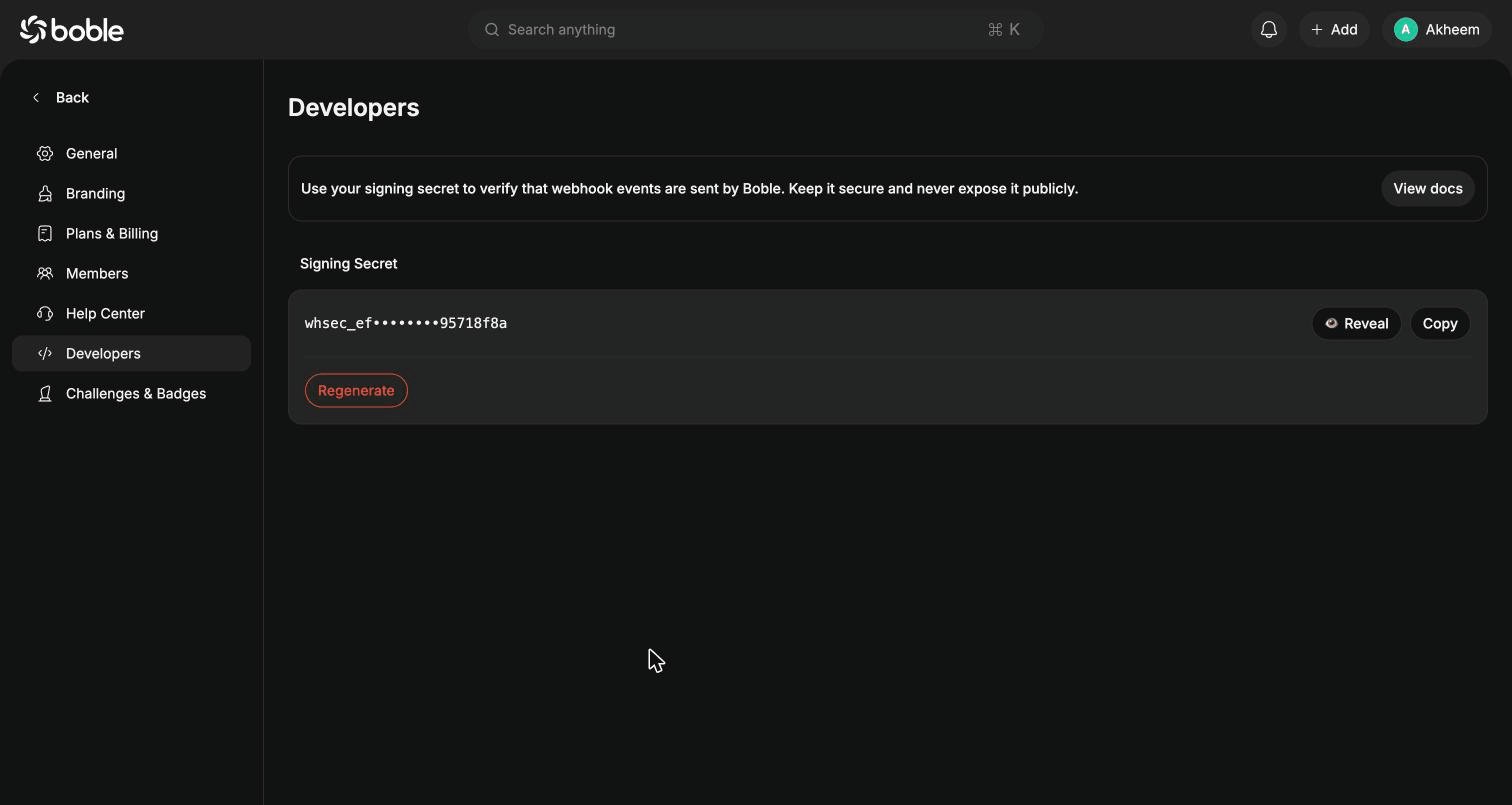 * **Signing Secret** (`whsec_…`) — used to verify that webhook events are sent by Boble. Keep it secure and never expose it publicly.
* **Reveal** / **Copy** — view or copy the secret.
* **Regenerate** — rotate the secret (existing integrations must be updated).
* **View docs** — opens the [webhooks documentation](/webhooks/overview).
See the [Webhooks](/webhooks/overview) section for event types, payload structure, and signature verification.
## Challenges & Badges
Gamification features (challenges and badges for your community). Currently displayed as **COMING SOON** in the closed beta.
* **Signing Secret** (`whsec_…`) — used to verify that webhook events are sent by Boble. Keep it secure and never expose it publicly.
* **Reveal** / **Copy** — view or copy the secret.
* **Regenerate** — rotate the secret (existing integrations must be updated).
* **View docs** — opens the [webhooks documentation](/webhooks/overview).
See the [Webhooks](/webhooks/overview) section for event types, payload structure, and signature verification.
## Challenges & Badges
Gamification features (challenges and badges for your community). Currently displayed as **COMING SOON** in the closed beta.