> ## Documentation Index
> Fetch the complete documentation index at: https://docs.boble.io/llms.txt
> Use this file to discover all available pages before exploring further.
# Customers
> Browse your customer base, view profiles, purchase history, and contact customers by email.
The **Customers** page ([admin.boble.io/customers](https://admin.dev.boble.io/customers)) lists everyone who has bought one of your products, with their lifetime value and transaction count.
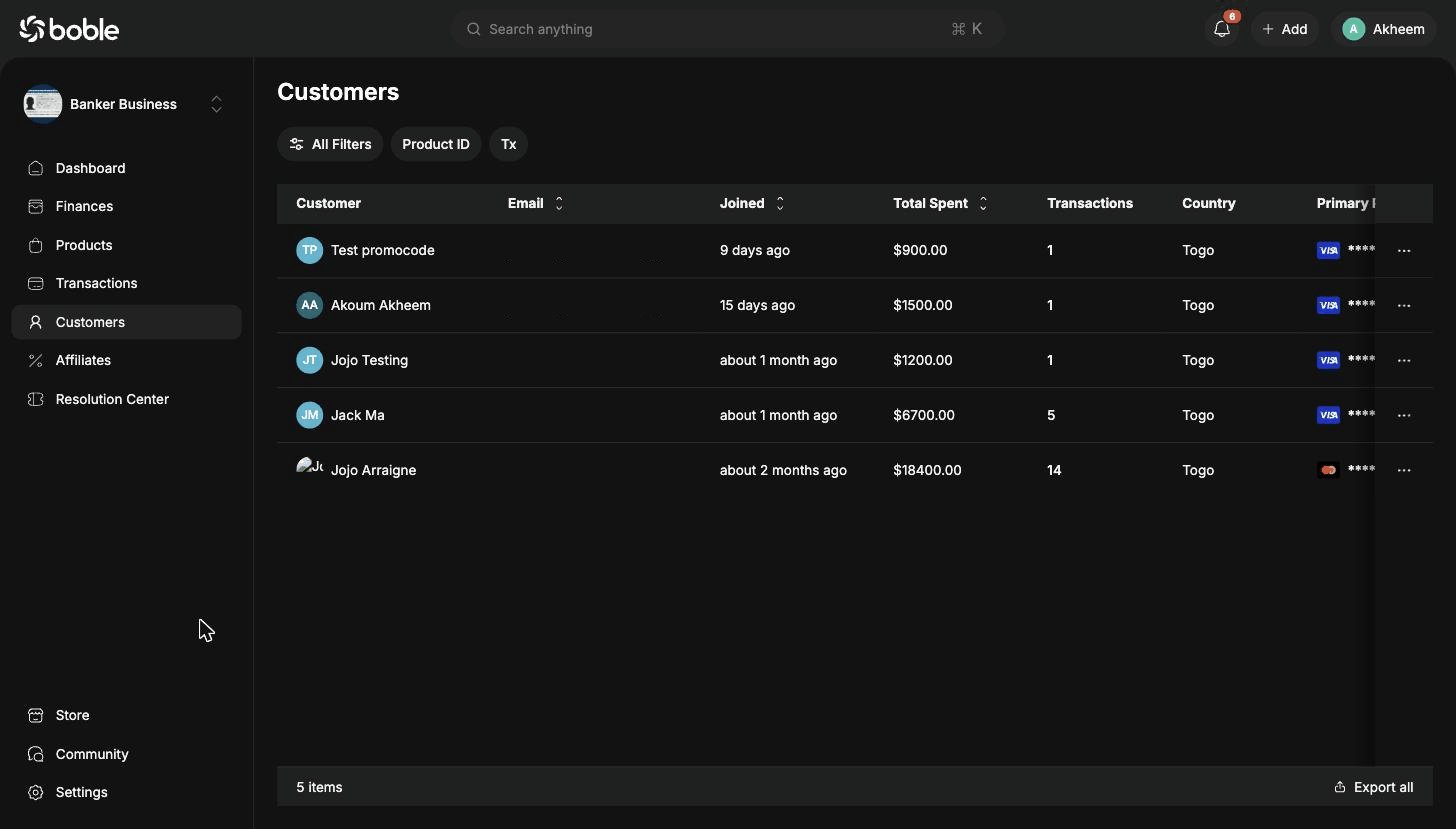 ## Customer list
Filter the list with **All Filters**, **Product ID** (customers of a given product), or **Tx** (transaction count), and download it with **Export all**.
| Column | Description |
| ------------------- | ---------------------------------------------------- |
| **Customer** | Name and avatar. Click the row to open the profile. |
| **Email** | The customer's email address. |
| **Joined** | When the customer first joined (sortable). |
| **Total Spent** | Lifetime amount spent (sortable). |
| **Transactions** | Number of transactions. |
| **Country** | The customer's country. |
| **Primary Payment** | Default payment method (card brand + last 4 digits). |
### Row actions
The `⋯` button on each row opens the actions menu:
## Customer list
Filter the list with **All Filters**, **Product ID** (customers of a given product), or **Tx** (transaction count), and download it with **Export all**.
| Column | Description |
| ------------------- | ---------------------------------------------------- |
| **Customer** | Name and avatar. Click the row to open the profile. |
| **Email** | The customer's email address. |
| **Joined** | When the customer first joined (sortable). |
| **Total Spent** | Lifetime amount spent (sortable). |
| **Transactions** | Number of transactions. |
| **Country** | The customer's country. |
| **Primary Payment** | Default payment method (card brand + last 4 digits). |
### Row actions
The `⋯` button on each row opens the actions menu:
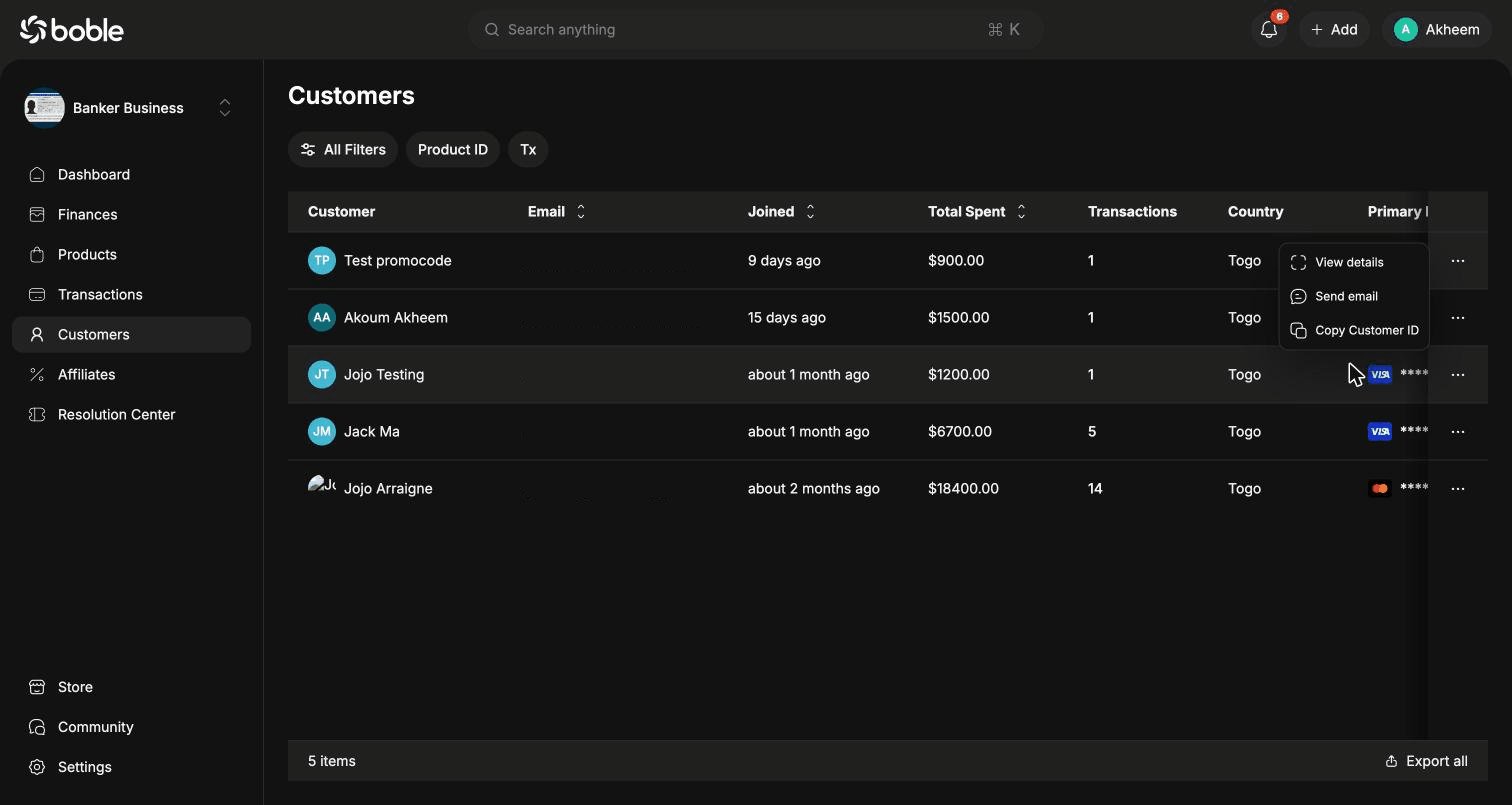 | Action | Description |
| -------------------- | --------------------------------- |
| **View details** | Open the customer's profile page. |
| **Send email** | Write an email to the customer. |
| **Copy Customer ID** | Copy the customer's unique ID. |
## Customer profile
The profile page has two tabs — **Infos** and **Purchase History** — plus a summary card with the avatar, username, join date, and a **Send email** button. The `⋯` menu in the header offers **Send email** and **Copy Customer ID**.
### Infos tab
| Action | Description |
| -------------------- | --------------------------------- |
| **View details** | Open the customer's profile page. |
| **Send email** | Write an email to the customer. |
| **Copy Customer ID** | Copy the customer's unique ID. |
## Customer profile
The profile page has two tabs — **Infos** and **Purchase History** — plus a summary card with the avatar, username, join date, and a **Send email** button. The `⋯` menu in the header offers **Send email** and **Copy Customer ID**.
### Infos tab
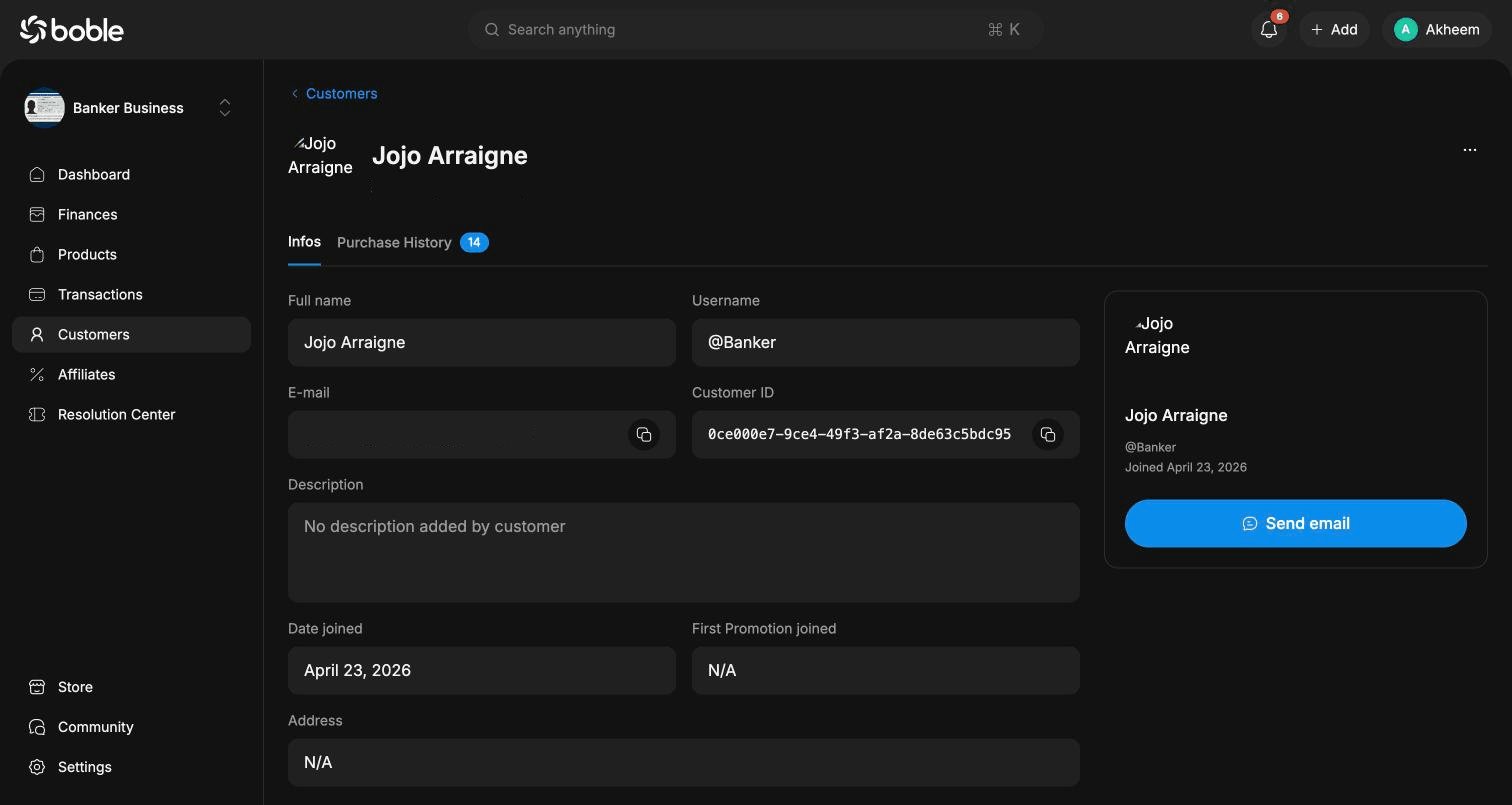 | Field | Description |
| -------------------------- | ------------------------------------------------------- |
| **Full name** | The customer's display name. |
| **Username** | Their platform handle (e.g. @Banker). |
| **E-mail** | Email address, with a copy button. |
| **Customer ID** | Unique identifier, with a copy button. |
| **Description** | Bio added by the customer. |
| **Date joined** | First sign-up date. |
| **First Promotion joined** | The first promotion through which they arrived, if any. |
| **Address** | Postal address, if provided. |
| **Customer Tags** | Tags to segment your customers. |
### Purchase History tab
Every order placed by the customer, with the same filters as the Transactions page (**All Filters**, **Status**, **Payment Method**) and **Export all**.
| Field | Description |
| -------------------------- | ------------------------------------------------------- |
| **Full name** | The customer's display name. |
| **Username** | Their platform handle (e.g. @Banker). |
| **E-mail** | Email address, with a copy button. |
| **Customer ID** | Unique identifier, with a copy button. |
| **Description** | Bio added by the customer. |
| **Date joined** | First sign-up date. |
| **First Promotion joined** | The first promotion through which they arrived, if any. |
| **Address** | Postal address, if provided. |
| **Customer Tags** | Tags to segment your customers. |
### Purchase History tab
Every order placed by the customer, with the same filters as the Transactions page (**All Filters**, **Status**, **Payment Method**) and **Export all**.
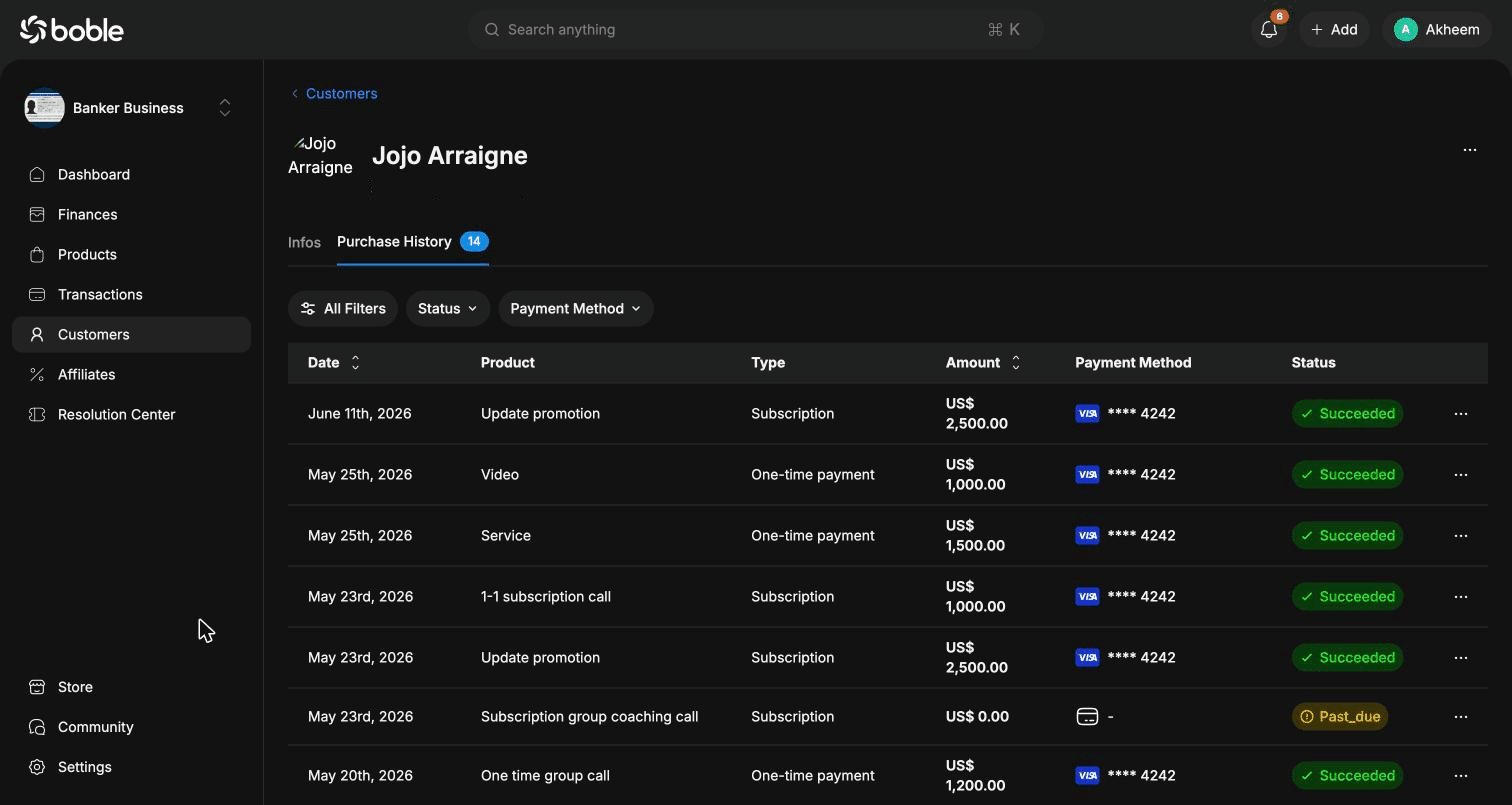 Columns: **Date**, **Product**, **Type** (`One-time payment` / `Subscription`), **Amount**, **Payment Method**, and **Status** (`Succeeded`, `Past_due`, `Revoked`). Each row also has a `⋯` actions menu.